

TL;DR
- Last-minute changes are difficult to manage when event information is spread across multiple channels and teams.
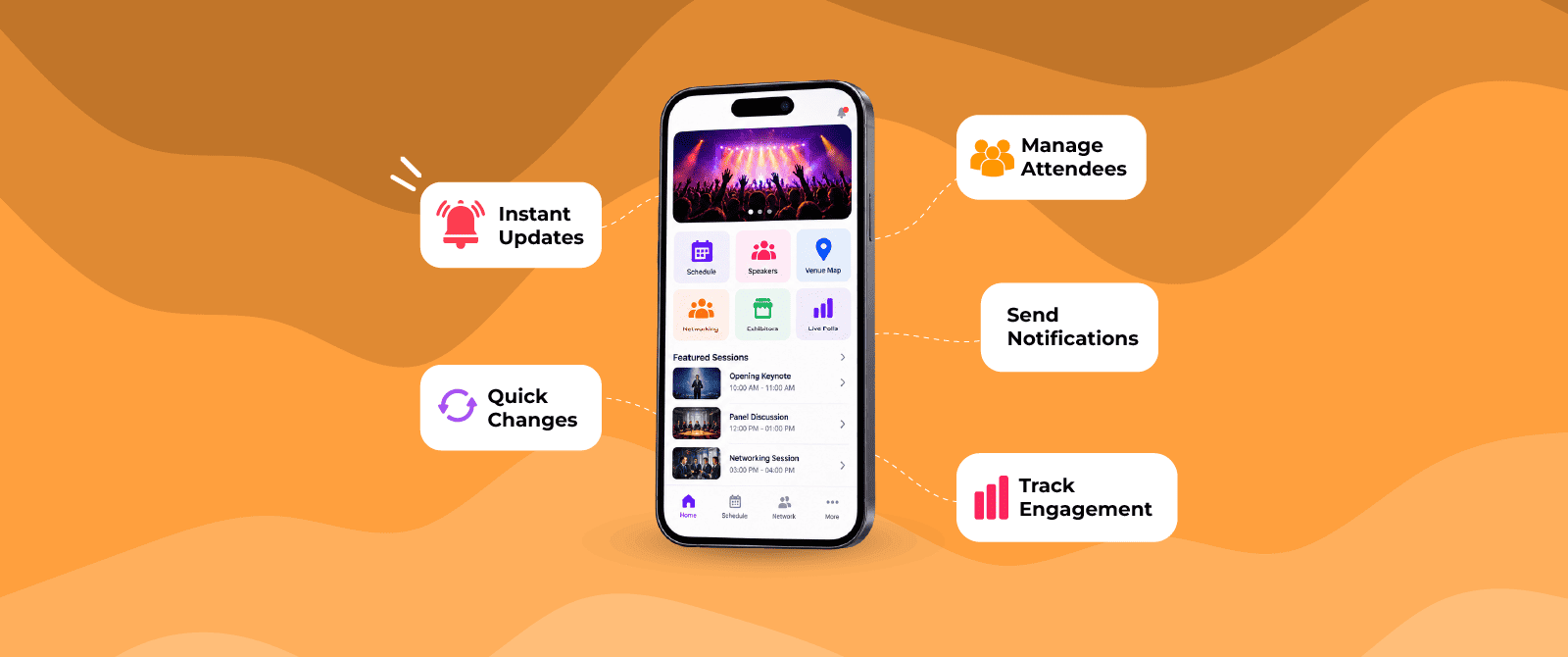
- A custom mobile event app gives organizers one centralized place to update important event information as plans change.
- Sudden speaker cancellations, schedule changes, room changes, and attendee updates can be communicated faster through the app.
- A centralized digital experience can reduce confusion caused by outdated schedules, printed materials, and missed messages.
- The app also helps connect attendee communication with registration, networking, event information, and on-site operations.
- To be effective, the app should be prepared and tested before the event, with clear processes for handling urgent changes
A custom mobile event app can help event organizers manage last-minute changes, attendee communication, schedule updates, networking, check-in, and event information from one centralized platform.
Introduction
What happens when a speaker cancels the day before an event? What if a session moves to another hall, a sponsor changes its booth location, or thousands of attendees need an urgent announcement?
These situations are common in event management. The problem is not always the change itself. The bigger issue is how quickly and clearly that change reaches everyone involved.
Printed schedules cannot be changed once distributed. Emails may be missed. WhatsApp messages can get buried among other conversations. Updating several disconnected systems manually can also create inconsistencies.
This is where an event app can become useful. A custom mobile event app gives organizers a centralized digital channel where event information can be updated and communicated quickly.
This article explains how a custom event app can help solve last-minute event management challenges, which features matter most, and what organizers should consider before choosing a mobile app for event management.
What Are the Most Common Last-Minute Event Management Challenges?
Last-minute problems vary by event type, but several occur repeatedly.
1. Sudden schedule changes
A keynote may run longer than planned, a workshop may be postponed, or a session may move to another room. When attendees are working from printed schedules or static PDFs, every change creates confusion.
2. Speaker cancellations
A speaker might become unavailable because of travel problems, scheduling conflicts, or other unexpected circumstances. Organizers then need to communicate the cancellation and update the relevant session information.
3. Venue or room changes
Large conferences often have multiple halls, meeting rooms, breakout areas, and exhibition zones. A room change can cause attendees to walk to the wrong location if the information is not updated quickly.
4. Urgent attendee communication
Some announcements cannot wait for an email campaign. Organizers may need to tell attendees about entry instructions, delays, security procedures, transportation, session changes, or venue updates.
5. Registration and check-in pressure
Last-minute registrations, attendee data changes, badge corrections, and access requirements can increase pressure on registration teams just before an event starts.
6. Sponsor and exhibitor changes
Booth numbers, exhibitor information, branding requirements, and sponsor activations can change close to the event. Keeping printed directories accurate becomes difficult.
A mobile event app does not eliminate these challenges. Instead, it gives organizers a faster way to manage information and communicate changes.
How Does a Custom Mobile Event App Solve Last-Minute Challenges?
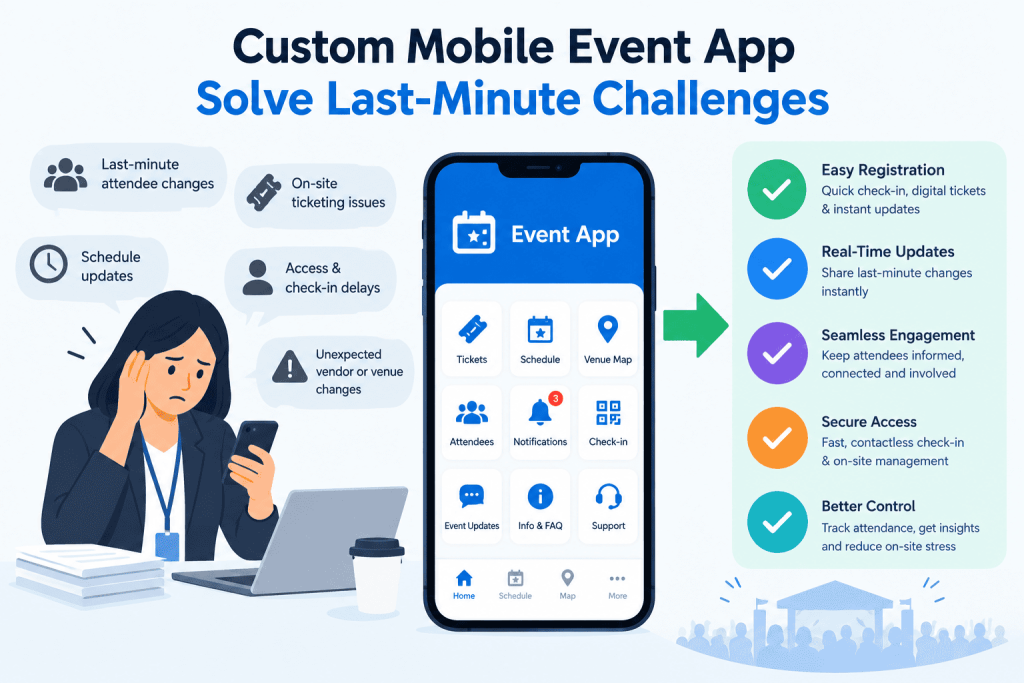
The main advantage is centralized, updatable event information.
Instead of distributing every change through separate channels, organizers can update relevant information in the event app and use notifications or other communication features to alert attendees.
Here are the key ways it can help.
1. Update Event Schedules Without Reprinting Materials
A schedule printed weeks before an event cannot reflect changes made afterward. A custom event app can display the latest session information digitally. If a session time, speaker, or location changes, organizers can update the information in the app.
For example:
Original:
2:00 PM – Marketing Trends – Hall A
Updated:
2:30 PM – Marketing Trends – Hall B
Attendees who open the app can see the updated information without needing a new printed schedule. This becomes particularly useful for multi-track conferences where several sessions may run simultaneously.
2. Send Important Changes Directly to Attendees
Having updated information available is only half the solution. Attendees also need to know when something important has changed. A mobile event app can support push notifications or in-app announcements for urgent communication.
For example:
“The 4:00 PM product workshop has moved from Hall 2 to Hall 4.”
Instead of expecting attendees to repeatedly check their email, organizers can communicate the update through the same digital environment they use to provide event information. Notifications should still be used selectively. Sending too many messages can cause attendees to ignore them.
3. Handle Last-Minute Speaker Changes
Speaker changes can affect session titles, bios, agendas, photographs, and related content.
A branded event app can centralize this information.
If a speaker is replaced, organizers can update:
- Speaker name
- Profile photo
- Biography
- Session description
- Session timing
- Room information
- Related content
This avoids maintaining multiple versions of the same information across printed programs, PDFs, websites, and attendee communications.
4. Reduce Confusion When Rooms or Halls Change
A venue change can be particularly difficult at a large event. A mobile app can provide digital event maps, session locations, exhibitor information, and navigation-related details. If a session moves from one hall to another, the organizer can update the session information while attendees can access the latest location through their phones. This is more practical than relying entirely on printed signs, especially when several changes happen throughout the day.
5. Keep Attendee Information in One Place
Last-minute event management often involves checking multiple sources for attendee information. A mobile app for event management can connect different parts of the attendee experience, depending on the platform and configuration.
For example, attendees may be able to access:
- Registration details
- Event schedules
- Digital tickets or credentials
- Session information
- Speaker profiles
- Exhibitor directories
- Event maps
- Meeting schedules
- Announcements
- Networking features
The value comes from reducing fragmentation. Attendees do not need to search through several emails, PDFs, websites, and messages to find basic event information.
6. Support Last-Minute Registrations and Attendee Updates
Large events can continue receiving registrations close to opening day. A custom mobile event app can work alongside an event registration system to create a connected attendee experience. Depending on the event technology setup, registration data can be used to provide attendees with relevant event information after they register.
This can also help when attendee information changes.
For example, an attendee may need to update their profile, organization, session preferences, or meeting information. Instead of depending entirely on the registration desk, some updates can be managed digitally. The exact capabilities depend on how the event app and registration platform are integrated.
7. Maintain the Event Brand During Last-Minute Changes
A branded event app can use the event’s branding, visual identity, content structure, and terminology to maintain consistency. A white label event app can go further by providing an app experience under the organizer’s branding rather than presenting the technology provider as the primary attendee-facing brand.
This matters when the app becomes one of the main communication channels during the event.
What Data and Insights Say About Mobile Event Apps
- 82% of associations surveyed offered a mobile event app for their in-person conferences and events, showing how established event apps have become in the event industry.
- 43% of organizations reported that 75–100% of attendees used their event app, while another 39% reported usage between 50–74%.
- 54% of mobile event app providers said the agenda was the most-used app feature, making real-time schedule management particularly relevant for events with last-minute changes.
- A study involving 407 mobile event app users found that perceived usefulness, ease of use, security, and supporting conditions positively influenced continued app usage.
- Research published in 2025 found that event mobile apps can influence attendee engagement and continued usage, particularly when the app provides useful and enjoyable experiences.
- 64% of attendees surveyed in a 2024 attendee-preferences report strongly preferred using mobile event apps.
Which Features Matter Most When Time Is Limited?
Not every event needs every possible app feature. When the objective is to solve last-minute event management challenges, organizers should prioritize functions that help them communicate and update information quickly.
| Feature | Last-minute value |
| Push notifications | Communicates urgent changes quickly |
| Live agenda updates | Keeps session information current |
| Digital event map | Helps with room and venue changes |
| Speaker management | Allows profiles and session details to be updated |
| Exhibitor directory | Keeps booth and company information current |
| Attendee profiles | Supports networking and event personalization |
| Digital credentials | Reduces dependence on printed documents |
| Admin/content management | Gives organizers centralized control |
| Registration integration | Connects attendee data with the event experience |
| Analytics | Shows engagement with app content and notifications |
The most important consideration is not the number of features. It is whether the features work together in a practical workflow.
Read More: Top 20 Mobile Event App Features You Can’t Overlook
What Should You Look for in a Custom Mobile Event App?
Before selecting an event app, organizers should look beyond design and feature count.
Ask these practical questions:
- How quickly can content be updated?
- Can multiple team members manage the app?
- Are permissions available for different administrators?
- Can urgent notifications be sent?
- Can the app integrate with registration and ticketing?
- Can schedules be changed after attendees have downloaded the app?
- Does it support digital credentials or QR codes?
- Can exhibitors and sponsors be updated?
- Does it support networking?
- Can the app be branded?
- Is a white label option available?
- What happens if internet connectivity is unstable?
- What analytics are available?
- How much technical support is provided during the event?
Note: These questions focus on operational usefulness rather than simply checking how many features the platform lists.
Can a Mobile Event App Prevent Every Last-Minute Event Problem?
No.
An event app cannot prevent a flight cancellation, speaker illness, venue issue, technical failure, or unexpected attendee behavior.
What it can do is reduce the communication and coordination friction created by those changes.
That distinction matters.
The app is most useful when it becomes part of a broader event management process that includes trained staff, clear escalation procedures, event engagement, backup communication channels, and tested technology.
Read More: 15 Reasons Why You Need to Use a Mobile Event App
Conclusion
Last-minute changes are part of event management. The real challenge is keeping attendees, speakers, exhibitors, and internal teams aligned when those changes happen.
A custom mobile event app such as Dreamcast provides a centralized channel for updating schedules, communicating announcements, managing event information, supporting networking, and keeping attendees informed. For organizers, the goal should not be to add another technology layer. It should be to create a reliable digital source of event information that can be updated when circumstances change. When registration, event content, communication, networking, and on-site operations are connected effectively, a mobile app for event management can make last-minute decisions easier to communicate and easier for attendees to act on.
FAQs
It allows organizers to update schedules, speakers, locations, announcements, and other event information digitally and communicate important changes through app notifications.
It can reduce dependence on printed schedules, particularly for events where session information changes frequently. However, organizers may still use printed materials where they are useful or required.
A white label event app allows an event or organization to present the app under its own branding rather than prominently displaying the technology provider’s branding.
Depending on the platform, an event app can integrate with registration and ticketing systems so newly registered attendees can receive relevant event information digitally.
There is no single feature for every event, but real-time content updates and reliable attendee communication are particularly important because they allow organizers to respond quickly when plans change.