


TL;DR
Planning to use NFC payments at your event? Here are the main things to consider before choosing a system:
- Quicker checkout: Attendees can tap a compatible card or wristband against a supported terminal.
- Less cash handling: Vendors spend less time counting notes and giving change.
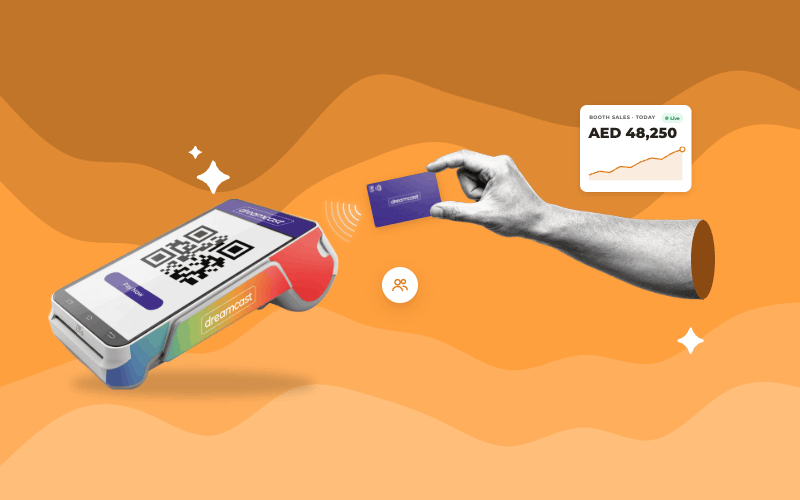
- Better sales visibility: Digital transaction records help organizers review sales across participating outlets.
- Features to check: Consider security, top-ups, offline payment capability, refunds, and transaction reporting.
The right NFC payment setup should make paying easier for attendees and help vendors and organizers manage transactions more efficiently.
Introduction
At a music festival, people often head to the food stalls as soon as there’s a break between performances. If buying a drink means waiting while customers count out cash or wait for change, those few minutes can add up. Vendors have more people waiting, and attendees spend less time enjoying the event. A quicker way to pay can make a difference.
Contactless payments are already common across the UK. According to UK Finance’s Payment Markets Report 2025, people made 19.2 billion contactless payments in 2025, accounting for 39% of all UK payments. The report also found that 65% of UK adults were registered for at least one mobile payment service. These figures cover everyday payments rather than events, but they show how familiar tapping a card or paying with a mobile device has become.
Event organizers can offer a similar experience at food stalls, bars, merchandise counters, and other outlets using Near Field Communication (NFC) technology. Depending on the setup, attendees may pay with a compatible bank card, mobile device, or NFC-enabled wristband. Some event systems also let attendees add money to a prepaid balance and use it at participating stalls.
However, choosing an NFC Payment Solution for Events involves more than speeding up checkout. Organizers also need to consider transaction security, sales records, internet disruptions, and how top-ups and refunds will work. Getting these details right can make payments easier for attendees and simpler for vendors to manage.
How Do NFC Payments Work at Events?
NFC is a short-range wireless technology that allows compatible devices to exchange information when they are brought close together. For supported contactless payments, a card or other compatible payment credential communicates with a payment terminal.
At an event, the process depends on the system. Paying directly with a bank card differs from using a prepaid event wristband, even if both involve tapping a credential.
A typical prepaid event payment process works like this:
- Get a payment credential: Attendees receive a compatible card or wristband.
- Add funds: They top up their balance using the options available for the event.
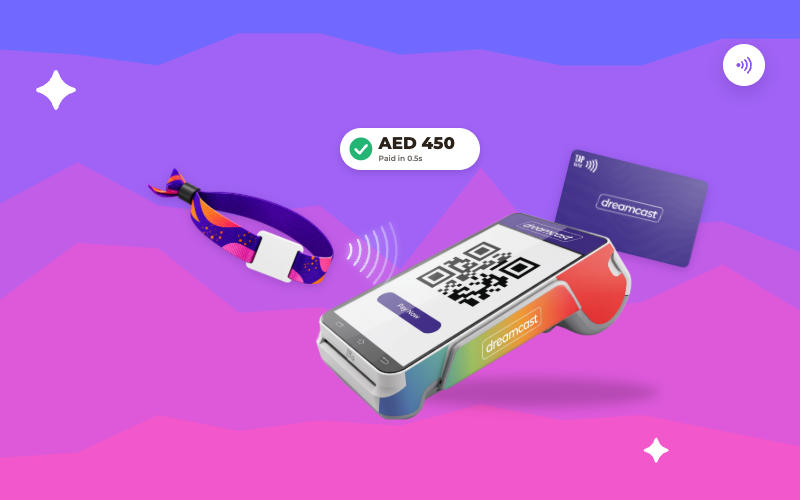
- Tap to pay: At a participating stall, they tap the card or wristband against a compatible terminal.
- Complete the purchase: The system processes the payment and records the transaction.
- Check balances and reports: Attendees can check their remaining balance where supported, while authorised staff review sales records.
This approach can be useful when attendees make several purchases throughout a festival or conference. Before choosing a Payment Solution for Events, check whether you need prepaid balances, direct card payments, mobile wallets, or a combination of payment methods.
For a broader overview of payment methods and event payment operations, read Cashless Payment Solutions for Events – A Complete Handbook.
How NFC Payments Make Event Transactions Faster
At busy events, queues can grow quickly when large groups arrive at the same counters. NFC can reduce the steps involved in making a payment, but checkout speed also depends on the wider setup.
Fewer Steps at the Counter
Cash payments require vendors to handle notes and coins, calculate change, and keep cash secure. With a supported tap-and-pay setup, attendees can present their payment credential and follow the terminal’s instructions.
This can simplify transactions at food stalls, bars, and merchandise counters. Actual transaction times depend on the payment system, terminal performance, connectivity, and staff readiness. A well-configured NFC Payment Solution for Events should be tested under the conditions expected at the venue.
Better Service During Busy Periods
Concert intervals, sports breaks, and festival meal times can bring a rush of customers within a short period. Straightforward payment steps can help vendors serve customers more efficiently during these busy spells.
However, NFC alone will not eliminate queues. Organizers also need enough working terminals, well-placed counters, trained staff, and a top-up process that does not create another bottleneck.
Less Cash to Count and Reconcile
Cashless transactions reduce the amount of physical money vendors need to count, store, and reconcile at the end of a shift. Digital records can also help them compare sales and investigate discrepancies.
The aim is to simplify the entire payment process, rather than simply replace notes and coins with a tap.
How NFC Supports More Secure Event Payments
NFC enables contactless communication, but that does not automatically make every payment system secure. Security also depends on the payment method, terminal setup, credential protection, and procedures for managing transactions.
For supported EMV contactless card payments, EMVCo explains how a one-time security code is generated for each transaction to help protect against fraud. This mechanism should not be assumed to apply to every prepaid event wristband or wallet. Organizers should ask providers which security controls their chosen system uses.
Protect Payment Cards and Wristbands
Find out how cards and wristbands are activated and linked to an account or prepaid balance. Ask what happens if someone loses their credential and whether it can be blocked or deactivated.
Where supported, the provider should have a clear process for restricting a lost credential and verifying an attendee before arranging a replacement or transferring a remaining balance.
Keep Clear Transaction Records
Digital records help organizers and vendors review payments, compare sales, and investigate discrepancies. Depending on the system, reports may include information such as the outlet, transaction amount, and time.
These records still need to be checked and reconciled properly. Organizers should also make sure that only authorised staff can access sensitive payment information.
Protect Personal and Payment Data
Payment systems may process transaction details and, depending on their setup, personal information. Ask providers how this information is protected, who can access it, and how long it is retained.
The UK Information Commissioner’s Office explains in its official data security guidance that organisations should use appropriate technical and organisational measures to protect personal information. Encryption may form part of these measures, alongside access controls, staff training, and incident-response procedures.
Make Refunds and Payment Disputes Easier to Handle
A payment may fail, a customer may be charged incorrectly, or someone may lose a prepaid wristband. Vendors need to know how to check whether a transaction went through before trying again. Organizers also need clear rules for refunds and balance adjustments.
Before choosing a provider, confirm how these situations are handled and what support is available during the event. A reliable NFC Payment Solution for Events should give staff clear procedures for checking transactions, resolving payment issues, and explaining refund options to attendees.
Features to Look for in an NFC Event Payment System
The right system should support your expected transaction volume, vendor setup, and payment methods. Use the following table to compare providers and identify which capabilities your event actually needs.
| Feature | Why it matters |
| NFC-enabled cards or wristbands | Gives attendees a convenient way to make supported contactless purchases. |
| Compatible payment terminals | Allows vendors to accept payments at food, drink, and merchandise counters. |
| Prepaid balances and top-ups | Lets attendees add funds when the system uses a prepaid wallet. |
| Offline payment capability | May allow transactions to continue during internet disruptions, subject to the system’s limits and configuration. |
| Transaction reporting | Helps organizers and vendors review sales and reconcile payment records. |
| Inventory management | Helps vendors monitor stock where this feature is available. |
| Refund and balance management | Clarifies how unused funds, incorrect payments, and other issues are handled. |
| Integration options | May allow the system to work with existing business tools, depending on the provider. |
Do not assume every provider includes all these features. Ask for a demonstration of the functions relevant to your event and clarify what happens if the internet goes down, a payment is declined, a wristband is lost, or a vendor needs to correct a transaction. When assessing an NFC Payment Solution for Events, verify these capabilities directly with the provider rather than assuming they are included.
How NFC Payments Benefit Vendors and Attendees
The impact of an event payment system extends beyond the checkout counter. It can also affect how vendors manage sales and how organizers monitor activity across the venue.
- For vendors: Less cash handling can simplify daily sales checks and end-of-shift reconciliation. Inventory tools, where available, can also help with stock management.
- For organizers: Digital transaction records can make it easier to compare sales across outlets, investigate discrepancies, and review payment activity.
- For attendees: A compatible card or wristband can be more convenient than carrying cash around the venue. A prepaid balance can also help them monitor spending, provided balances, top-ups, and refund terms are clearly explained.
The Best NFC-enabled Payment Solution for Events is one that meets the needs of all three groups without adding unnecessary steps or making payment issues harder to resolve.
Which Events Can Use NFC Payments?
NFC-based cashless payments can be useful at events where attendees regularly buy food, drinks, merchandise, or other items from multiple outlets.
- Music festivals and concerts: Purchases at food stalls, bars, and merchandise counters between performances.
- Sports events: Refreshments and retail purchases around the venue.
- Exhibitions and trade shows: Purchases at food courts and participating vendor stalls.
- Corporate events and conferences: Catering, refreshments, and selected on-site purchases.
- Theme parks and entertainment venues: Payments at participating food and retail outlets.
- College and community festivals: Purchases across multiple stalls and activity areas.
The most suitable setup depends on attendee numbers, event duration, venue layout, the number of vendors, and expected transaction volume. Organizers should also decide whether attendees will use one payment credential across multiple outlets. The Best NFC-enabled Payment Solution for Events will be the one that fits these practical requirements without adding unnecessary complexity.
For a practical example, read How Dreamcast Manages Cashless Payments at Sporting Events.
How to Choose the Right NFC Payment Provider
When comparing providers, look beyond transaction speed and pricing. The Best NFC-enabled Payment Solution for Events should offer the payment options your vendors need, clear transaction reporting, and practical processes for handling top-ups, refunds, and connectivity problems.
Choose a System That Fits Your Event
Start with expected attendance, the number of vendors, likely transaction volume, and the types of purchases attendees will make. A small conference may need a simpler setup than a multi-day festival with several food courts and merchandise stalls.
Check that the available payment methods and hardware suit the way your vendors operate and attendees will pay.
Check What Happens if the Internet Goes Down
Ask whether transactions can continue during a connection problem, what limits apply to offline payments, and how records are updated when connectivity returns. Also check the provider’s procedures for power failures, faulty terminals, and on-site support.
Offline payment capability does not necessarily mean every transaction can be processed without limits. Understand the rules before the event starts.
Understand Fees, Refunds, and Payouts
Ask for a clear breakdown of setup, hardware, transaction, and top-up fees. Find out when vendors receive their money, how unused prepaid balances are refunded, and who handles payment disputes.
Sorting these details out in advance can prevent confusion after the event.
Test the Process Before Opening
Run through realistic situations before attendees arrive. Test a successful purchase, an insufficient balance, a lost credential, a refund, and a connectivity problem. Make sure vendors know how to check whether a payment went through and where to get help.
A short test can uncover problems before they affect customers. This testing helps confirm that the Best NFC-enabled Payment Solution for Events can support the event’s real operating conditions.
Making Event Payments Simpler from Start to Finish!
NFC payments can make transactions easier for attendees, reduce cash handling for vendors, and help organizers keep track of sales. However, the right setup needs to suit the event’s size, venue, vendor requirements, and operational needs. Before the event begins, consider payment methods, top-ups, reporting, offline capability, refunds, and staff training.
Dreamcast’s cashless payment system for events uses RFID and NFC technology. Its listed capabilities include cards or wristbands, top-ups, tap-and-pay transactions, transaction reporting, offline payment capability, and inventory management. The appropriate configuration will depend on the event’s specific requirements.
Ultimately, a successful cashless setup is about more than enabling tap-to-pay. It is about making payments straightforward for attendees, practical for vendors, and manageable for the organising team. With the right system and preparation, organizers can create a smoother payment experience throughout the event.
Frequently Asked Questions
Ans: Attendees tap a compatible card or wristband against a supported terminal. Depending on the setup, the payment may use a bank card or a prepaid event balance.
Ans: They can be, provided the payment system uses suitable security controls, protects payment credentials, restricts access to transaction data, and has clear procedures for lost cards and disputed charges.
Ans: Some systems support offline transactions. Ask the provider about transaction limits, security measures, and how payment records are updated when the connection returns.
Ans: Check terminal compatibility, top-ups, reporting, security, offline support, fees, refunds, and vendor payouts. Test the complete payment process before the event.