


TL;DR
- Managing payments for 50,000+ event attendees requires more than simply going cashless.
- Organizers need a scalable payment system that can handle high transaction volumes, multiple vendors, peak-time demand, and unexpected technical issues without slowing down the attendee experience.
- The right approach is to choose an appropriate payment model, make top-ups and transactions simple, deploy enough payment terminals, provide reliable network connectivity, train vendors, and monitor transactions in real time.
- A strong backup plan is equally important, with contingency options for connectivity failures, device issues, failed payments, and refunds.
- When technology, infrastructure, security, and onsite operations work together, cashless payments can reduce queues, improve transaction visibility, simplify vendor settlements, and make large-scale event payments faster and easier to manage.
Introduction
A cashless payment system replaces or reduces the need for physical cash by allowing attendees to pay through digital wallets, cards, QR codes, RFID-enabled credentials, or other contactless methods.
When the system is planned properly, it can make transactions faster, give organizers better financial visibility, and help vendors serve large crowds more efficiently. That is why more than 1 million customers used RFID cashless payments across events in 12 months, generating more than 3 million transactions.
To Manage Event Payments for 50,000+ Event Attendees, organizers need more than just a switch from cash to digital payments. It requires the right infrastructure, payment workflow, security controls, and a reliable backup plan.
At that scale, even a minor payment delay can create long queues. A temporary network issue can affect hundreds of transactions. If attendees have to top up wallets repeatedly, vendors struggle to process payments, or organizers cannot see transaction activity in real time, the payment experience can quickly become a major operational problem.
Why Is Cashless Technology Important for 50,000+ Event Attendees?
When tens of thousands of attendees arrive at an event, payment speed becomes an operational issue.
Imagine 50,000+ attendees buying food, merchandise, drinks, or experiences throughout the day. If every transaction requires cash handling, counting change, reconciling tills, and manually tracking sales, queues can grow quickly, and financial reporting becomes harder.
Cashless technology simplifies this process by moving transactions into a digital environment.
Cashless payment statistics also highlight the potential impact on event spending. Event organizers using that RFID solution reported a 10–25% increase in overall customer spending.
A well-designed cashless payment system can help you:
- Reduce transaction times
- Shorten queues at food and merchandise counters
- Reduce the amount of physical cash handled onsite
- Track transactions in real time
- Give vendors faster access to sales data
- Improve financial reconciliation
- Create a more convenient attendee experience
The key is to make the payment process feel almost invisible to the attendee. They should be able to pay quickly and continue enjoying the event.
What Does a Cashless Event Payment System Include?
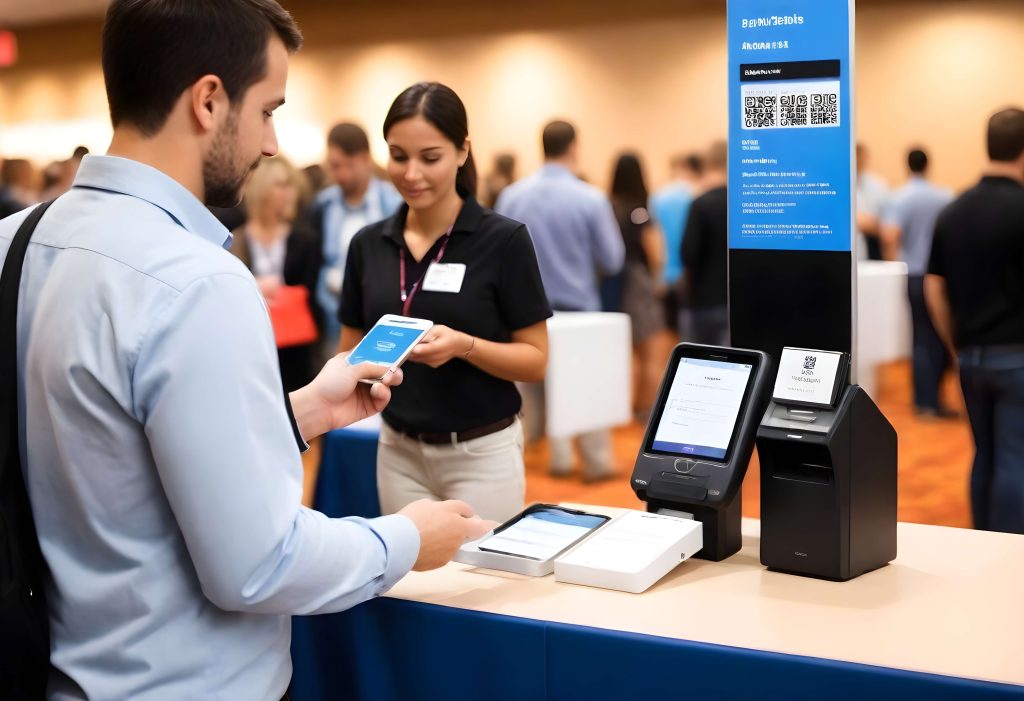
Before choosing a solution, it helps to understand what you are actually building. A cashless event payment system typically connects several components:
- Attendee credential: This could be a wristband, event card, mobile wallet, QR code, or another digital identifier.
- Payment account or wallet: Attendees can preload money, connect a payment method, or pay directly at the point of sale depending on the system.
- Point-of-sale terminals: Vendors use these devices to process transactions.
- Payment gateway: The gateway securely processes digital payments and communicates with the relevant financial networks.
- Central dashboard: Organizers can monitor transactions, revenue, top-up activity, refunds, and other financial information.
- Settlement and reporting system: Transactions are reconciled so organizers and vendors can accurately calculate sales and payouts.
For a 50,000+ attendee event, these components need to work together rather than operate as separate systems. As proof, in 2015, Intellitix processed 17.5 million cashless transactions worth more than $250 million across partnered events.
How Do You Manage Event Payments for 50,000+ Attendees?
The biggest mistake would be choosing payment technology first and figuring out the operational model later. A successful event would never do it. This is why Tomorrowland deployed cashless technology for more than 300,000 attendees. The deployment was described as producing virtually no queues and quicker transactions.
Start by mapping how money will move through your event. You need to ask:
- Where will attendees make purchases?
- How many vendors will accept payments?
- What types of purchases will they make?
- Will attendees use prepaid wallets or direct payments?
- How will refunds work?
- How will vendors receive settlements?
- What happens if connectivity fails?
- How will unused wallet balances be handled?
Once you answer these questions, you can select technology that fits the event instead of forcing the event to fit the technology.
1. Choose the Right Payment Model
Did you know that some events generated up to 25% of their total revenue through advance online credit top-ups before the event even began? This is why large events generally have several cashless payment approaches available.
Closed-Loop Payments
A closed-loop system creates an event-specific payment environment. Attendees load money into an event wallet and use an event credential, such as an RFID wristband or card, to make purchases.
This model gives organizers strong control over transactions and can work particularly well for festivals and large-scale experiences.
Open-Loop Payments
With an open-loop system, attendees use existing payment methods such as credit cards, debit cards, or supported digital wallets.
The advantage is familiarity. Attendees don’t necessarily have to learn a new payment system or preload money before making purchases.
Hybrid Payments
A hybrid approach allows attendees to choose between multiple payment methods.
For example, attendees might use an event wallet while vendors also accept cards or QR-based payments.
For a 50,000+ attendee event, the best approach depends on the audience, venue infrastructure, vendor requirements, event format, and expected transaction volume.
2. Make Cashless Payments Easy for Attendees
A cashless system is only successful if attendees understand how to use it.
Eastern Electrics, a UK festival that sold 15,000 tickets the previous year, moved to a 100% cashless model with RFID wristbands across bars, food stalls, and trading outlets.
If people arrive at the venue and do not know how to activate their wallet, add money, check their balance, or request a refund, your registration and customer-service teams can quickly become overwhelmed.
Explain the Payment Process Before the Event
Do not wait until attendees reach the venue.
Send clear instructions explaining:
- How the payment system works
- Which payment methods are supported
- How to add funds
- Where attendees can check their balance
- How refunds work
- What happens to unused funds
- What to do if a credential is lost
Keep the instructions simple. A short video, visual guide, or step-by-step email can be more useful than a long technical document.
Make Top-Ups Convenient
If your system uses prepaid wallets, topping up should be quick.
Consider offering multiple top-up options, such as cards, bank-based payments, digital wallets, or onsite top-up stations where appropriate.
The fewer steps attendees need to complete, the more likely they are to use the cashless system comfortably.
3. Prevent Payment Queues at 50,000+ Attendee Events
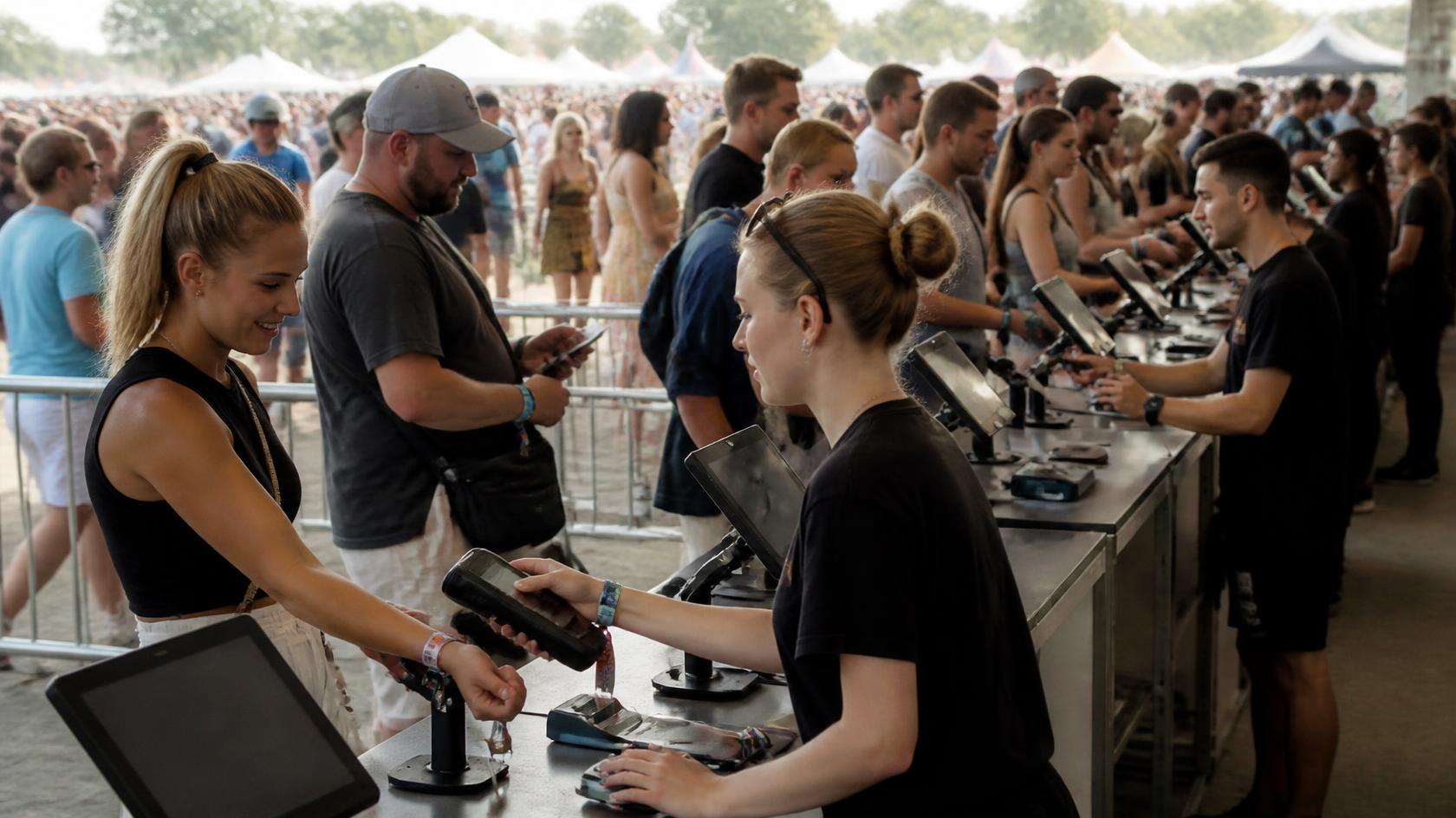
Cashless payments can speed up transactions, but they do not automatically eliminate queues.
The payment infrastructure needs to be designed around expected demand. For example, RFID wristbands had been adopted by more than 15 million festival patrons globally at the time of Festival Insights’ report.
Distribute Point-of-Sale Terminals Strategically
Do not place terminals only where they are convenient for vendors.
Look at expected attendee movement and purchasing patterns.
High-demand areas such as food courts, merchandise zones, and popular attractions may need more terminals than lower-traffic locations.
You can also create multiple payment points within large food or merchandise areas to distribute demand.
Keep the Payment Interaction Short
The ideal transaction should involve as few steps as possible, for example:
Select item → Tap or scan → Payment confirmed → Continue.
Avoid unnecessary authentication steps for low-value transactions when the payment model allows for a faster process.
Every second saved per transaction can make a meaningful difference when thousands of purchases are happening within a short period.
4. Real-Time Payment Data for Event Organizers

One of the biggest advantages of cashless technology is visibility.
With physical cash, organizers may have to wait for manual reconciliation before understanding how different areas of the event are performing.
A centralized digital system can provide real-time information about transaction activity. Organizers can monitor:
- Total transaction volume
- Revenue by location
- Revenue by vendor
- Popular products
- Peak purchasing periods
- Average transaction values
- Wallet top-ups
- Refund activity
This information is not just useful for accounting. It can help you make decisions while the event is still happening.
For example, if one food zone is experiencing unusually high transaction volume while another has spare capacity, you may be able to redirect staff or open additional service points.
5. Manage Vendors and Merchants Efficiently
A 50,000-person event could involve dozens or even hundreds of vendors.
If every vendor follows a different payment process, reconciliation becomes complicated.
A centralized cashless system can create a standardized payment workflow across participating vendors. Did you know that Mysteryland attendees using an RFID cashless environment reportedly spent twice as much on merchandise and concessions as attendees at comparable events? Well, you do now.
Give Vendors Clear Operating Guidelines
Before the event, vendors should know:
- Which devices they will use
- Which payment methods they will accept
- How refunds work
- How to handle failed transactions
- What happens during connectivity issues
- When settlements will occur
- Who to contact for technical support
Give Vendors Access to Relevant Data
Vendors do not necessarily need access to the entire event dashboard.
Instead, give them access to the information relevant to their own transactions, such as sales totals, transaction counts, and settlement information.
This reduces confusion and makes post-event reconciliation easier.
6. Keep Cashless Event Payments Secure
A secure cashless payment system is essential when handling thousands of digital transactions at a large event. Security needs to be part of the payment system from the beginning.
The cashless event payment platform at JLF 2025 from Dreamcast used appropriate encryption, access controls, secure authentication, and payment security practices.
Dreamcast introduced NFC (Near Field Communication) technology, embedding smart badges that communicate wirelessly with NFC readers via electromagnetic signals.
Read more about: JLF 2025: How Dreamcast Powered Access, Networking & Payments with One Smart Badge
You should also establish clear procedures for:
- Lost or stolen event credentials
- Suspicious transactions
- Refunds
- Chargebacks
- Failed payments
- Account recovery
Security should not become an obstacle for attendees, but it should operate quietly in the background throughout the payment journey.
7. Be Ready If the Internet or Payment Network Goes Down
This is one of the most important questions to answer before launching a cashless system at a large event.
A 50,000-person event cannot depend on a single internet connection or payment pathway.
Your contingency plan should consider:
- Backup internet connectivity
- Offline transaction capabilities where supported
- Backup payment terminals
- Spare devices and chargers
- Alternative payment methods
- Onsite technical support
- Clear escalation procedures
The exact fallback process will depend on the payment technology you choose.
The important point is simple: don’t wait for a network failure to discover what your backup plan is.
Test it before the event.
Also Read: How to Implement RFID Cashless Payments at Events
8. Test the Cashless Payment System Before Launch
A large-scale event should not go live after a basic software demonstration. Run a full operational test that simulates real event conditions. Test scenarios such as:
- High Transaction Volume
Simulate a large number of simultaneous transactions to identify performance limitations.
- Network Failure
Test what happens when a terminal loses connectivity.
- Failed Payment
Make sure staff know how to identify and resolve unsuccessful transactions.
- Lost Credential
Test the process for blocking a lost wristband, card, or other payment credential.
- Refund
Confirm that vendors and support staff understand how refunds are processed.
- Settlement
Verify that transaction records reconcile correctly with vendor reports.
The goal is to identify problems while you still have time to fix them.
9. Monitor Cashless Payments During the Event
The work does not stop once the system goes live.
Assign a dedicated team to monitor payment operations throughout the event. You need to track:
- Transaction success rates
- Failed payments
- Terminal connectivity
- Network performance
- Queue formation
- Top-up activity
- Refund requests
- Unusual transaction patterns
If a problem appears at one location, address it before it spreads.
For example, if several terminals in a food zone begin experiencing connectivity issues, your technical team should be able to identify the pattern quickly and respond.
Real-time monitoring turns payment management from a reactive process into a proactive one.
10. Things You Should Do After the Event
Cashless technology also makes post-event reconciliation easier, but only if you plan for it.
Once the event ends, you should review:
- Total transaction volume
- Revenue by vendor
- Payment method performance
- Refunds
- Unused balances
- Failed transactions
- Peak transaction periods
- Technical incidents
Then compare these findings with your original expectations.
Use event feedback to identify areas for improvement. Adding more terminals can help if a payment zone experiences frequent congestion. Simplifying the wallet top-up process can make payments easier for attendees. For recurring vendor device issues, review the hardware setup and make the necessary improvements.
The data from one event can become the foundation for a better payment strategy at the next one.
Also Read: Future of RFID Cashless Payments at Sports Events (2026 & Beyond)
Cashless Event Payment Checklist for 50,000+ Attendees
Before going live, make sure you have covered the essentials:
| Area | What Should You Check |
| Payment model | Decide between closed-loop, open-loop, or hybrid |
| Infrastructure | Confirm network capacity and backup connectivity |
| Terminals | Deploy enough devices for expected transaction volume |
| Attendee experience | Make top-ups and payments simple |
| Vendors | Train vendors on payments, refunds, and troubleshooting |
| Security | Define access controls and fraud-response procedures |
| Testing | Run high-volume and failure simulations |
| Support | Set up dedicated onsite technical support |
| Monitoring | Track transactions and system health in real time |
| Reconciliation | Define vendor settlements and post-event reporting |
What Are the Biggest Mistakes to Avoid?
Even sophisticated cashless systems can fail if the operational planning is weak. So, you must avoid these common mistakes:
- Choosing technology without understanding the event workflow. A feature-rich platform is not useful if it does not match your venue, vendors, or audience.
- Underestimating transaction volume. Plan for peak purchasing periods, not average activity.
- Ignoring the attendee learning curve. Introduce the payment process before people arrive.
- Using insufficient backup infrastructure. Large events need redundancy.
- Leaving vendors out of the planning process. Vendors are the people using the payment system under pressure, so their workflows matter.
- Treating data as an afterthought. Decide beforehand which payment metrics you need to monitor and report.
Bottom Line
Managing payments for 50,000+ attendees may sound overwhelming, but the right cashless technology can turn a complicated payment operation into a more organized and measurable process.
The real value is not simply that attendees can tap, scan, or pay digitally. It is that every transaction can become part of a connected system. It helps attendees pay faster, vendors serve more people, and gives organizers a real-time view of what is happening across the event.
But technology is only one part of the equation. Successful large-scale cashless payments depend on choosing the right payment model, preparing your infrastructure, training vendors, protecting transaction data, testing failure scenarios, and monitoring the system throughout the event.
Dreamcast can work all of these pieces together, even an event with 50,000+ attendees can deliver a payment experience that feels simple, fast, and reliable.
FAQs
Yes. A properly scaled cashless system can support high transaction volumes across multiple vendors, payment points, and event zones while providing centralized transaction management.
Contactless and digital payments reduce the time needed to handle cash and process transactions. Multiple payment terminals can also distribute attendee traffic across the venue.
Use backup connectivity, spare terminals, alternative payment methods, and onsite technical support. Test these contingency measures before the event begins.
A centralized dashboard can track transactions, revenue, refunds, failed payments, and vendor activity. This helps organizers identify payment issues and respond quickly.