

TL;DR
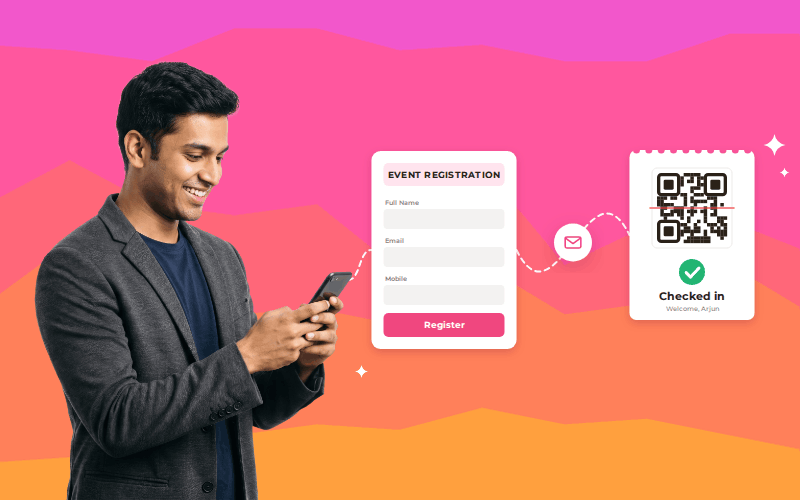
Event registration software can help you manage events with hundreds or even thousands of attendees. However, the right software depends on how many people register, how much traffic it can handle at once, and what you need on event day. Check whether it can manage attendee details, ticketing, onsite registration, QR code check-ins, badge printing, and reports. Ask the provider for proof that the software can handle your expected audience, and test the entire process before the event.
Introduction
Managing registrations for 500 attendees is one thing; handling 5,000 or more brings a different level of complexity. Your team needs to keep attendee details accurate, send tickets, handle last-minute registrations, prepare badges, and check people in without creating long queues.
Attendee expectations and registration habits are also changing. Forrester’s Q1 2025 State of B2B Events research reported an 8% decline in overall event satisfaction from 2024 to 2025 and noted that attendees were registering later. This does not mean registration technology caused the decline, but it highlights why event teams need to prepare for changing attendee behaviour.
For larger events, choosing software based only on its advertised attendee limit is not enough. You need to know whether it can handle your expected registration traffic, keep attendee records organized, support onsite check-in, and fit your venue’s requirements. When evaluating event registration software for 5000+ attendees, focus on proven performance and the features your team will actually use.
So, can event registration software for 5000+ attendees handle these demands? It can, provided its tested performance and available features match your event’s requirements. Here is what to check before making a decision.
Can Event Registration Software Handle 500 to 5,000+ Registrations?
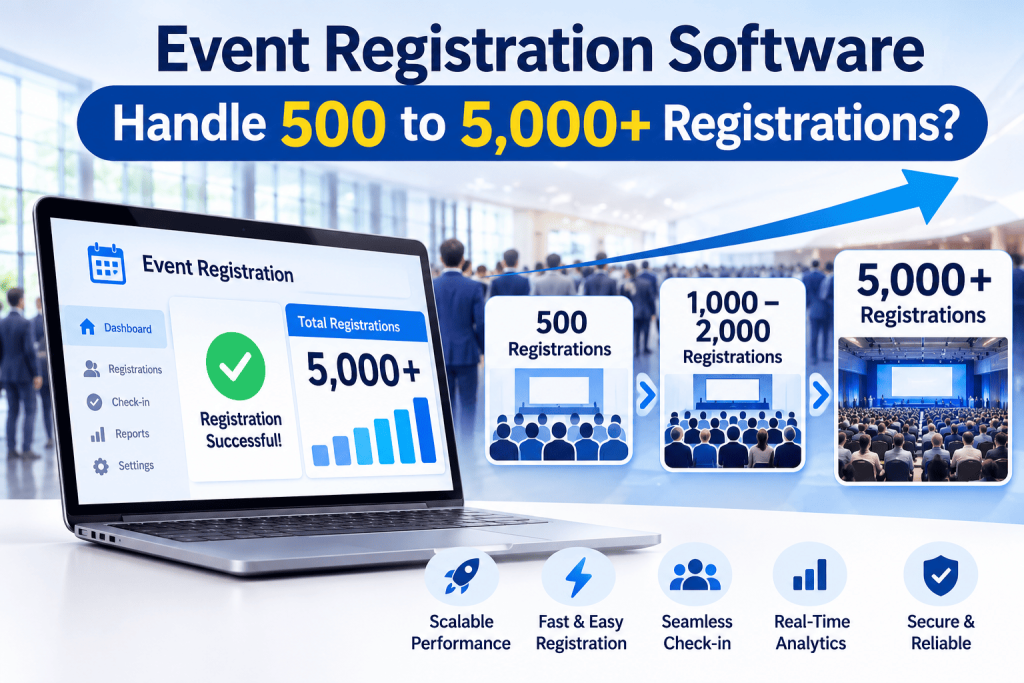
Yes, but the total number of registrations is only one part of the picture. You also need to understand how the software performs when many people use it at the same time and when attendees arrive at the venue.
There are three different things to consider:
- Total registrations: How many people sign up throughout the registration period.
- Concurrent traffic: How many people may access the registration page or system at the same time.
- Onsite check-in: How quickly staff can verify attendees as they arrive.
For example, collecting 3,000 registrations over four weeks is different from opening registration for a popular event and having hundreds of people access the form at once.
Similarly, storing 5,000 attendee records does not automatically mean the team can check in a large group quickly. Entry speed also depends on arrival patterns, staffing, scanning equipment, and how registration problems are handled.
An event registration and ticketing platform can bring sign-ups, ticketing, and attendee information into a more organized process. However, you should ask every provider what its capacity claims actually mean. Do they refer to total registrations, simultaneous website traffic, or check-ins completed within a specific period?
This distinction helps you compare providers based on your actual requirements rather than a headline number. Before choosing event registration software for 5,000+ attendees, make sure the provider can explain which capacity limits have been tested and what those results mean for your event.
Which Features Help Manage 500–5,000+ Event Attendees?
As the attendee list grows, small mistakes can take more time to fix. The right event registration solutions should help your team manage sign-ups, keep details organized, and prepare for entry.
1. Registration Forms, Ticketing, and Confirmations
Registration is the first step in the attendee journey. If a form is confusing or asks for unnecessary information, people may struggle to complete it or submit incorrect details.
For events with different attendee groups, check whether the system supports the ticket types and registration categories you need.
For example, a conference may have general attendees, speakers, exhibitors, and VIP guests. Keeping these groups organized from the beginning makes it easier to prepare attendee lists and plan access arrangements.
Depending on your event, look for:
- Custom registration forms and relevant attendee fields
- Different ticket or registration categories
- Free or paid ticketing options, where required
- Ticket delivery and registration confirmations
- A clear process for cancellations and registration changes
The aim is to make event registration easy for attendees and reduce repetitive work for your team.
2. One Place to Manage Attendee Details
Managing attendee information across spreadsheets, emails, and separate lists can lead to duplicate entries or outdated details. These problems become harder to manage as the guest list grows.
A well-organized event registration system can help keep attendee information together. Check how the system handles corrections, duplicate registrations, cancellations, and changes to attendee categories.
Also consider what each team needs to see. Registration staff may need to update attendee details, while entry staff may only need to verify a ticket. Clear roles and consistent records help everyone work with the right information.
3. Onsite and On-Spot Event Registration
Not every attendee registers in advance. Some people decide to attend at the last minute, while others arrive without their ticket or need help correcting their details.
Plan how your team will handle these situations. If your chosen system supports onsite event registration, staff should be able to collect the required information, complete the registration, and issue the relevant ticket without holding up the main entry line. This process is also sometimes referred to as onspot event registration.
A practical setup may include:
- A separate counter for walk-in registrations
- Staff who can resolve missing tickets or incorrect details
- A process to check whether a person is already registered
- A way to update attendee records after a new registration
- Clear instructions for handling registration exceptions
Keeping walk-ins and registration problems separate from routine check-in can help the main queue move more smoothly.
4. QR-Code Check-In and Badge Printing
At the venue, staff need to confirm that an attendee is registered and record their arrival. Looking through printed lists can take time, especially when several people arrive together.
QR-code check-in can help staff find and verify attendee details by scanning a ticket or badge, depending on the setup. Self-service kiosks and multiple check-in stations may also help manage attendee flow when arrival volumes are high.
If your event requires physical badges, plan for printers, badge materials, reprints, and last-minute registrations. Test the complete process using the devices and network you intend to use at the venue.
Review the available event check-in and badge printing options to understand the types of workflows to consider. Confirm which features, devices, and support arrangements are appropriate for your event before making a decision. For event registration software for 5000+ attendees, checking these onsite processes is just as important as checking the registration limit.
5. Attendee Messages and Registration Reports
Attendees may need confirmation messages, ticket details, reminders, or entry instructions before the event. Automated communication can save time, but you should confirm that the required channels and workflows are supported.
Reports can help your team review registration totals, attendee categories, and check-in progress. Before choosing an event registration platform, ask which reports are available, how frequently they update, and who can access them.
These details are especially important when several teams need to work from the same registration information.
How Can You Plan Onsite Registration and Check-In for a Large Event?
A smooth entry process depends on when people arrive, how many check-in stations are open, and how long each attendee takes to get through the process.
Suppose 1,000 attendees are expected to arrive within a 30-minute window.
Average arrival rate = 1,000 ÷ 30 = approximately 33 attendees per minute.
This is a planning calculation, not a prediction that people will arrive evenly. In practice, many attendees may reach the venue just before the event starts.
Use your expected arrival pattern to plan the setup.
| What to plan | What to check |
| Arrival times | When is the busiest period likely to be? |
| Check-in stations | How many stations are needed for the expected flow? |
| Staff responsibilities | Who scans tickets, handles walk-ins, and resolves registration issues? |
| Badge printing | Are printers, materials, and reprint procedures ready? |
| Devices and network | Have the actual devices and venue connectivity been tested? |
| Backup process | What happens if a ticket will not scan or a device stops working? |
A relevant example is WETEX 2024, held at Dubai World Trade Centre. The WETEX 2024 case study reports more than 35,000 visitors and describes QR-code verification, self-service check-in pods, multiple access stations, and integration with the event’s existing registration system.
This is an example of access management at a large exhibition, not proof that every registration platform can handle the same volume. It shows why check-in equipment, system integration, entry-point planning, and operational preparation all matter.
Venue safety also needs to be part of the plan. The UK Health and Safety Executive’s guidance on putting crowd controls in place recommends planning entrances, queueing space, signage, and clear emergency routes. Keep queues away from emergency exits, make signs easy to follow, and coordinate the entry plan with the venue team. The registration desk should not block walkways or create a bottleneck near the entrance.
How Do You Test Event Registration Software Before Event Day?
A short product demonstration may show that a registration form works, but it does not prove that the complete setup is ready for your event. Test the steps attendees and staff will actually use.
| What to Test | What to Check |
| Peak registration traffic | Ask whether performance testing can simulate the busiest registration period you expect. |
| Test registration | Check the registration form, ticket selection, payment process (if needed), and confirmation delivery. |
| Attendee detail updates | Test corrections, cancellations, duplicate records, and changes to registration categories. |
| Walk-in registration | Confirm how staff can register attendees who have not signed up in advance. |
| Onsite check-in | Test ticket scanning, attendee verification, and badge printing, if required. |
| System integrations | Confirm that your payment tools and other essential systems are supported. |
| Event-day support | Find out whom to contact if the software, printer, or network has a problem. |
Use realistic test records and the equipment planned for the venue. If you expect a rush when registration opens or a large arrival wave on event day, test that specific situation rather than relying on a routine demonstration.
When reviewing event registration software for 5000+ attendees, ask for documented performance or load-test results that reflect your expected usage. This gives you a clearer basis for judging whether the system is suitable instead of relying on a general claim.
What Should You Ask Before Choosing an Event Registration System?
Compare providers based on what your event actually needs, not just the number of features listed on their websites.
| Ask the provider | Why it matters |
| What registration volume and simultaneous traffic have been tested? | Helps you understand the evidence behind the capacity claim. |
| Which registration and ticketing steps are supported? | Confirms whether the system fits your workflow. |
| How are walk-ins and last-minute changes handled? | Helps you plan onsite registration. |
| Which scanners, devices, and printers are supported? | Reduces the risk of equipment problems on the day. |
| Which registration and attendance reports are available? | Shows whether the team can access the information it needs. |
| What support is available during the event? | Clarifies how technical or operational problems will be handled. |
If a provider says its software can handle 5,000 attendees, ask what that number represents. It may refer to total attendee records, the number of people accessing the registration page at once, or the number of check-ins completed within a certain period. These are different measures.
Also ask whether any limits apply to ticket categories, integrations, devices, or simultaneous activity. Clear answers will help you compare providers more accurately.
What Should You Know Before Choosing Registration Software for a Large Event?
A system that works well for one event may need a different setup for a larger or more complex one. More attendees can mean additional ticket categories, entry points, integrations, walk-ins, or simultaneous users.
Dreamcast has supported registration and onsite entry workflows for large events, as shown in its published case studies.
The SHRM Conference 2024 case study reports 5,600+ registrations: 2,900 in-person and 2,700 virtual participants. The documented setup included multiple registration categories, onsite registration, self-check-in kiosks, and badge printing. Because the total includes virtual participants, it should not be interpreted as 5,600 people checking in at the venue.
For a much larger event, the India Mobile Congress 2023 case study reports 65,000+ online registrations and more than 150,000 total footfall. It describes online and onsite registration across multiple attendee categories, QR-code self-registration, check-in kiosks, and onsite badge printing.
These examples show how registration and entry workflows have been used at large events. They do not guarantee that every software configuration will handle the same volume. Before choosing Dreamcast or another provider, review performance evidence and confirm that the setup meets your expected registration traffic, attendee journey, venue requirements, and support needs. Test the complete process before event day so your team can identify and fix problems before attendees arrive.
Frequently Asked Questions
It can, depending on the system’s tested performance and the event setup. Check total registrations, simultaneous traffic, attendee records, and onsite check-in requirements separately.
Registration capacity relates to how the system handles sign-ups and related activity. Check-in capacity relates to how quickly attendees can be verified at the venue. Arrival patterns, staffing, scanning speed, and entry layout also affect check-in.
Some systems support onsite or on spot registration. Confirm that the selected solution can collect attendee details, issue tickets, update records, and print badges if needed.
Plan for the busiest arrival time by setting up enough check-in desks and staff to handle the crowd. Test scanners and printers beforehand, keep a separate desk for walk-ins or registration issues, and coordinate with the venue to prevent long queues and delays.