


TL;DR
WhatsApp event ticketing in the UAE gives organisers a convenient way to share registration links, collect RSVP responses, send payment instructions, and deliver ticket details. When these steps are linked to the right event management system, organisers can spend less time chasing attendees and more time preparing for the event.
Introduction
A guest says they will attend but never confirms. Another registers for a paid event but does not complete the payment. Meanwhile, someone who has booked a ticket messages the team asking where to find it.
These situations are common when event registration, guest lists, payments, and attendee communication are handled separately. For organisers in the UAE, keeping track of every response and booking can become difficult as the guest list grows.
The UAE’s payment infrastructure highlights the growing scale of digital transactions. According to the Central Bank of the UAE’s 2024 Annual Report, the UAE Funds Transfer System processed 109.7 million retail transfers in 2024, a 22.57% increase in transaction volume compared with 2023. While this figure does not relate specifically to event ticketing, it provides useful context for organisers planning payment processes in a market with substantial digital transfer activity.
WhatsApp event ticketing can make registration and attendee communication easier by giving participants a familiar place to receive event information and take the next step. Organisers can share registration links, follow up on RSVPs, send payment instructions, and communicate ticket details without relying on repeated manual messages.
The important part is knowing what each message confirms. An RSVP is not a paid booking, and sending a payment link does not mean a transaction has succeeded. A reliable process keeps these steps clear from the first invitation to event-day entry.
How WhatsApp Event Ticketing Simplifies Registration, RSVPs and Payments
Each stage of ticketing serves a different purpose. Registration collects attendee details, RSVP management records attendance responses, and payment handling confirms paid bookings. WhatsApp can support communication at each stage, while the relevant event and payment systems maintain the records.
1. Make Event Registration Easier
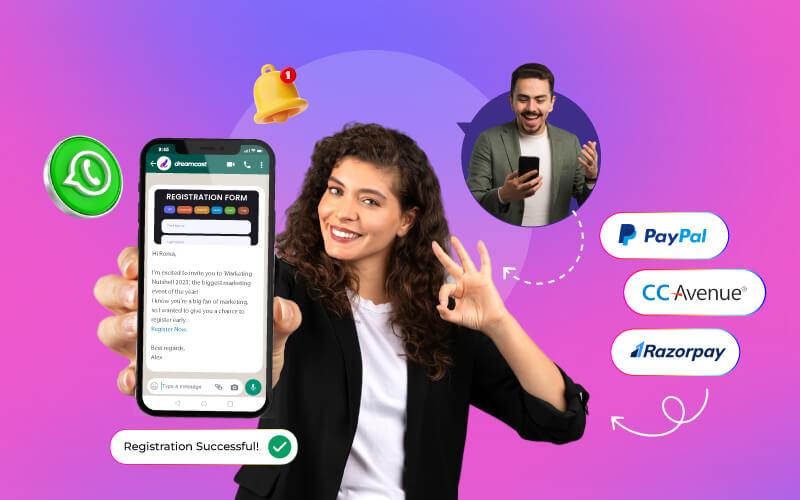
Registration often starts when an attendee receives an invitation or discovers an event. WhatsApp lets organisers share the essential details and direct interested people to the relevant registration form.
Instead of explaining the same information in separate conversations, organisers can send a message containing the event date, venue, registration link, and any important eligibility or booking details.
A clear registration process should help attendees:
- Find the event information they need before signing up.
- Open the correct registration form and submit the required details.
- Understand whether their registration is complete or awaiting approval.
- Know whether they need to pay before their booking can be confirmed.
For organisers, the benefit is a more organised way to guide people towards registration. The registration system should still record the submitted details and current status; a WhatsApp conversation alone is not a reliable attendee register.
This distinction becomes particularly important for paid events and invitation-only gatherings. A submitted form may require payment, while a guest may need approval before attending. The next message should explain the correct step rather than treating every registration as a confirmed ticket.
2. Keep RSVP Responses and Guest Lists Updated
For events with guests, getting an accurate attendance count can take more effort than sending the invitation itself. Some people reply immediately, others need a reminder, and a few change their plans at the last minute.
WhatsApp can help organisers send invitations and request responses through direct messages. Instead of repeatedly contacting guests one by one, the team can use the configured RSVP process to communicate with invitees and keep track of responses.
A useful RSVP process covers four tasks:
- Invitations: Share the event details with the intended guests and explain how to respond.
- Response tracking: Record who has accepted, declined, or not yet replied, where those response options are available.
- Approvals: For restricted events, keep the guest’s response separate from the organiser’s decision to approve attendance.
- Reminders: Follow up with guests who have not responded before the RSVP deadline.
The guest list should reflect these changes so that organisers can estimate attendance more accurately. If additional guests are permitted, the process should also capture those details according to the event’s rules.
For events that need formal invitations, response tracking, and guest-list management, Dreamcast’s event RSVP management solution is relevant to this stage of planning.
RSVP tracking also helps organisers make practical decisions. A corporate event may need a final headcount for seating and catering, while a private launch may require an approved guest list. In both cases, knowing who has responded is more useful than simply knowing how many invitations were sent.
3. Give Attendees Clear Payment Instructions
For paid events, registration is only part of the booking process. Attendees also need to know how much they must pay, where to pay, and what happens after the transaction.
WhatsApp can be used to share payment links and instructions as part of the ticketing process. The attendee then completes the transaction through the configured payment gateway or checkout page. Payment should not be described as taking place inside WhatsApp unless the actual setup supports that capability.
To avoid confusion, organisers should establish a clear sequence:
- The attendee completes the required registration or approval step.
- The organiser shares the applicable ticket price and payment instructions.
- The attendee completes payment through the designated provider.
- The transaction status is checked against the payment record.
- The booking confirmation or ticket is issued once the required conditions are met.
This process also needs to account for payments that fail or remain pending. If an attendee says they have paid but the transaction cannot be verified, the team should check the payment record before confirming the booking.
The same care applies to duplicate payments, cancellations, and refund requests. These cases may require manual review, so organisers should explain how attendees can contact the team for help.
For events in the UAE, confirm that the selected payment provider supports the methods, currencies, and business requirements relevant to the event. Do not assume that every gateway or payment method will be available simply because the organiser uses WhatsApp to communicate with attendees.
What Should Attendees Receive After Booking?
Once registration, RSVP, and payment requirements have been met, attendees need a clear confirmation and the information required to attend. Sending the right message at the right time helps prevent avoidable questions closer to the event.
Send the Right Confirmation at Each Stage
Not every attendee should receive the same message. Someone waiting for approval needs an update about their application, while someone who has completed a paid booking needs confirmation of that booking.
| Attendee status | What the message should explain |
| Registration submitted | Confirm receipt and explain the next step. |
| RSVP not received | Ask the guest to respond before the deadline. |
| Approval pending | Explain that the request is still under review. |
| Payment pending | Share the payment instructions or applicable reminder. |
| Booking confirmed | Confirm the booking and provide essential event details |
| Event approaching | Remind the attendee of the date, venue, and entry instructions. |
These messages should reflect the actual status recorded in the relevant system. For example, an attendee who has opened a payment link should not receive a paid-ticket confirmation unless the payment has been verified.
Share Digital Ticket and Entry Details
Attendees should know how to access their ticket before arriving at the venue. If they need to search through old conversations or contact the organiser for entry details, the process creates unnecessary friction.
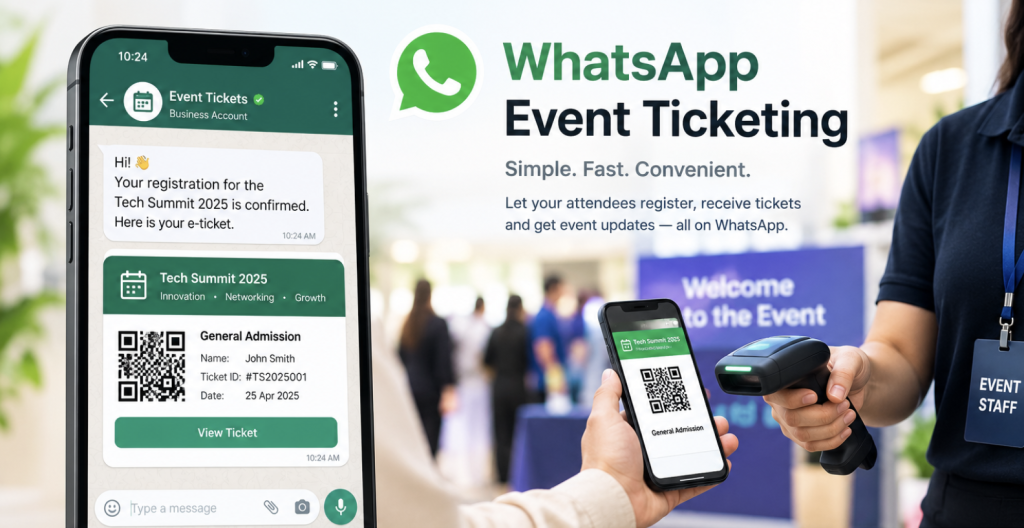
Where supported by the configured solution, organisers can share ticket information and entry instructions through WhatsApp. Dreamcast’s WhatsApp event offering includes personalised QR-based M-Badges, which can help with attendee identification and the event entry process.
The message should make it easy for attendees to find their relevant details and understand what to do at the venue. Organisers should also decide how the team will handle missing tickets, unreadable QR codes, booking changes, and other entry issues.
A QR-based badge does not automatically guarantee entry. The event’s check-in arrangements and access requirements still apply.
To review the available capabilities, visit Dreamcast’s WhatsApp event solutions.
Which Events Can Use WhatsApp Event Ticketing?
WhatsApp event ticketing can be useful for different types of events, but the process should reflect the way each event handles registration and attendance.
Corporate Events and Conferences
Organisers can use WhatsApp to share registration details, communicate attendance requirements, and remind participants about event timings. For paid conferences, payment verification should remain part of the booking process.
Exhibitions and Trade Shows
Exhibitions may involve visitors, exhibitors, partners, and guests. Organisers can direct each group to the relevant registration process and communicate any approval or entry requirements.
Product Launches and Private Events
These events often rely on invitations and RSVP responses. Direct messages and reminders can help organisers identify guests who have confirmed their attendance, while approval rules keep the final guest list accurate.
Workshops and Paid Experiences
For ticketed workshops, organisers can share registration and payment instructions, then confirm bookings after the required steps are complete. Clear cancellation terms and a way to resolve payment queries are equally important.
What to Check Before Automating Event Ticketing
Before launching a WhatsApp ticketing process, test the complete attendee journey, not just the messages.
- Registration and RSVPs: Check that attendee details are recorded correctly, responses update the guest list, and approval requirements are clear.
- Payments: Test successful, failed, and pending transactions. Confirm how the team will handle duplicate payments, refunds, and bookings that remain unconfirmed.
- Ticket delivery: Make sure ticket details reach the right attendee and explain what to do if a ticket cannot be found or scanned.
- WhatsApp communication: Review the applicable WhatsApp Business requirements, message permissions, and communication preferences. Make sure attendees have a clear way to ask for help.
- Attendee data: Limit access to attendee information to the people who need it, and follow the applicable data protection requirements.
A test run can reveal problems before invitations go out to a large audience. Check what happens when someone registers twice, changes an RSVP, abandons payment, or asks to cancel a booking. These are the cases that often require more attention than a straightforward registration.
Make Event Ticketing Easier to Manage!
WhatsApp event ticketing in the UAE can reduce the effort involved in sending invitations, following up on RSVPs, sharing payment instructions, and delivering ticket information. Its value comes from making these steps easier for attendees and simpler for organisers to manage.
The process works best when every stage has a clear status: registration received, RSVP recorded, payment verified, and booking confirmed. With accurate records and well-timed communication, organisers can spend less time chasing updates and more time preparing for the event.
Frequently Asked Questions
It uses WhatsApp to share registration details, RSVP requests, payment instructions, and ticket information. The actual booking and payment process depends on the systems connected to the communication channel.
Yes. Organisers can use WhatsApp to send invitations, request responses, and remind guests to reply. Responses and approvals should be recorded in the event’s guest list or RSVP management system.
Organisers can share payment links through WhatsApp when their setup supports this process. Attendees generally complete payment through the configured payment provider, and the organiser should verify the transaction before confirming a paid booking.
Ticket details can be shared through a configured WhatsApp process. Where supported, organisers can also send personalised QR-based M-Badges. The ticket delivery and entry arrangements depend on the event’s setup.