



TL;DR Verdict
- Last-minute registrations can increase attendance, but they can also put pressure on registration, payments, badge printing, capacity planning, and onsite check-in.
- A smarter event registration platform should connect online registration, payments, QR credentials, attendee data, communication, and onsite check-in.
- Dreamcast helps organizers manage these processes through a connected registration and check-in workflow, including online and onsite registration, QR-based entry, payment collection, and badge printing.
- To handle registration spikes, keep forms simple, automate confirmations, monitor capacity in real time, and prepare a dedicated workflow for walk-ins.
- The goal is not to eliminate last-minute registrations. It is to make sure they do not become a last-minute operational problem.
Introduction
Last-minute event registrations can be both a good sign and a serious operational challenge.
A sudden spike in registrations means people are interested in your event. But when hundreds or thousands of attendees register just days or even hours before the event, your team has to move quickly. You need to process registrations, confirm payments, issue tickets or credentials, prepare badges, manage capacity, and ensure attendees can check in without long queues.
Did you know that 1.65 billion people participated in business events globally in 2025? This is where spreadsheets, manual confirmations, or disconnected registration tools can fall short.
A smarter approach is to use an event registration platform that can handle registration, payment, attendee information, communication, and onsite check-in as one connected process.
For event organizers, Dreamcast can help simplify this workflow by bringing these activities together so your team can manage late registrations without turning them into a last-minute operational headache.
Why Are Last-Minute Event Registrations So Difficult to Manage?
Last-minute registrations are not necessarily a problem, as IAPCO members organized 23,512 meetings and events in 2025 and managed 7,718,808 participants. In fact, they can help you fill remaining capacity and increase attendance.
The challenge is speed.
When registrations arrive close to the event date, your team has less time to manually process every attendee. Several things can go wrong:
- Registration details may need to be verified quickly.
- Payments need to be confirmed.
- Tickets or QR codes need to reach attendees on time.
- Badges may need to be prepared.
- Capacity needs to be monitored in real time.
- Attendees still expect a smooth check-in experience.
- Your operations team has little room to fix errors.
For example, imagine your conference has 5,000 registered attendees two weeks before the event. Then, during the final 48 hours, another 800 people register.
Those 800 registrations don’t just add 800 names to a database. They can affect capacity planning, badge printing, communication, seating, catering, security, check-in, and onsite staffing. This is why global convention-centre attendance increased 9.2% in 2024.
So, the real question isn’t how to stop last-minute registrations.
It is:
How can you process them quickly without compromising the attendee experience?
What Does a Smarter Last-Minute Registration Solution Need?
Did you know that 49% said attendance at their most recent in-person event increased compared with their comparable pre-pandemic event? So, before choosing a platform, it helps to understand what your registration workflow actually needs.
A suitable solution should reduce the number of manual steps between registration and entry.
1. Real-Time Registration
Your registration page should remain available until you decide to close registration.
Attendees should be able to register, provide the required information, select relevant ticket types, and receive confirmation without waiting for your team to manually process their request.
2. Instant Payment and Confirmation
If your event is paid, payment should not become a separate administrative task.
A connected registration workflow can allow attendees to complete payment during registration and receive confirmation once the transaction is completed.
3. Automated Ticket or QR Code Delivery
Once someone registers, they should receive the information needed to attend.
Digital tickets, confirmation emails, and QR codes can reduce manual follow-ups and give attendees something they can use directly at the venue.
4. Easy Onsite Check-In
A last-minute registration is only truly successful if the attendee can enter smoothly.
Your check-in process should be able to recognize registered attendees quickly, verify their credentials, and record attendance without requiring your staff to search through spreadsheets.
5. Real-Time Attendee Data
Your team should know how registration numbers are changing.
Real-time data can help you monitor registrations, attendee categories, ticket sales, and check-in activity so that you can make operational decisions while the event is still approaching.
These capabilities form the foundation of a smarter last-minute registration strategy.
Also Read: Last-Minute Event Registrations: Smart Ways to Manage Them
How Does a Smarter Workflow Handle a Last-Minute Registration Surge?

Let’s look at a practical example.
Suppose you are organizing a three-day business conference.
You expected 3,000 attendees, but registrations suddenly increase during the final week.
Instead of creating a separate manual process for those attendees, you can manage the journey through a connected workflow. 71% of attendee-side respondents said ease of check-in can make or break their event experience. Here are the steps of the workflow:
Step 1: Attendee registers online
The attendee enters their information and selects the appropriate registration or ticket category.
Step 2: Payment is completed
If the event is paid, the attendee completes the payment during registration.
Step 3: Registration is confirmed
The attendee receives their confirmation and relevant entry credentials.
Step 4: Your team sees the updated registration data
Your operations team can monitor registration numbers and attendee information instead of waiting for manually updated spreadsheets.
Step 5: Attendee arrives at the venue
The attendee presents their QR code or credential.
Step 6: Staff verifies and checks them in
The registration information is validated, and attendance is recorded. Also, know that 71% of attendees feel more welcome when they receive an agenda in advance.
Step 7: Badge or access credential is issued
If required, the attendee can receive their event badge and proceed into the event.
The important part is that the attendee doesn’t have to experience the complexity happening behind the scenes.
That’s what a smarter registration workflow should achieve.
How Can You Reduce the Impact of Last-Minute Registrations?

Technology helps, but your registration strategy still matters.
Keep Registration Open Until You Actually Need to Close It
Do not create unnecessary barriers simply because the event is approaching.
If you still have capacity, keeping online registration available can help capture genuine last-minute demand.
At the same time, define a clear registration cutoff based on your operational requirements.
Make the Registration Form Simple
Don’t ask for information you do not actually need.
A shorter registration form can reduce friction and make it easier for attendees to complete registration quickly.
You can collect additional information later if it is not essential for entry.
Automate Attendee Communication
Late registrants need clear information.
Your confirmation should tell them what they need to know, such as:
- Registration status
- Event date and venue
- Entry instructions
- QR code or ticket details
- Check-in information
- Important event updates
This reduces repetitive questions reaching your event team.
Monitor Registration and Capacity in Real Time
A sudden increase in registrations can affect venue capacity, catering, seating, badges, security, and staffing.
Keep an eye on registration numbers instead of waiting until the event day to discover that demand has exceeded your original assumptions.
Prepare Your Onsite Team for Walk-Ins
Even with an efficient online registration system, some people will arrive without completing the process.
Create a dedicated workflow for these attendees so that walk-ins do not disrupt the regular check-in queue.
Also Read: Event Management Process: 8 Steps to Planning and Executing a Successful Event
What Are the Benefits of Using a Smart Event Registration Platform?
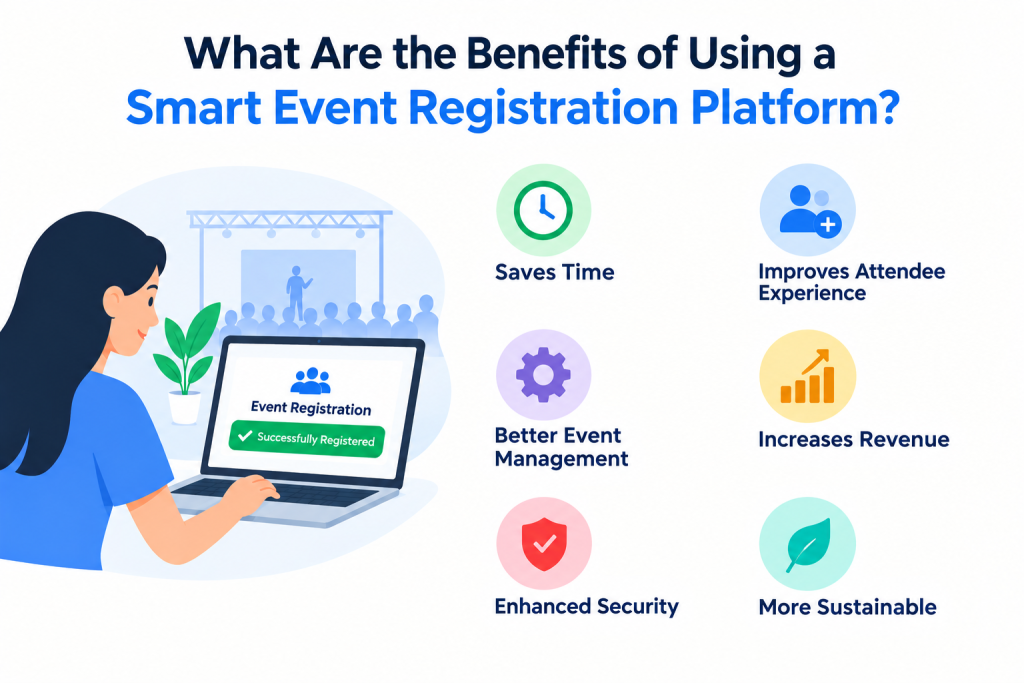
Did you know that India had 30,000+ live events in 2024, excluding personal events? So, if you are willing to plan one, know the potential benefits.
The biggest benefit is not simply accepting more registrations. It is being able to handle registration demand without adding the same amount of manual work.
For organizers, a connected platform can help with:
1.Faster Registration Processing:
Automated workflows reduce repetitive data entry and manual confirmation.
2.Better Attendee Experience:
Attendees can register, receive their credentials, and check in through a more connected journey.
3.Less Pressure on Event Staff:
Your team can spend less time searching for attendee information, confirming payments, and handling repetitive registration requests.
4.Better Visibility:
Centralized registration data gives organizers a clearer picture of registrations, attendee categories, and event participation.
5.Smoother Onsite Operations:
Connecting registration with QR check-in and badge printing can reduce unnecessary steps when attendees arrive.
When Should You Consider a Smart Registration Platform?
As an organizer, you must know that 61% of attendees valued being greeted on entry and 59% valued being able to text for answers. This is why you do not have to wait until last-minute registrations become a problem.
A dedicated registration platform becomes particularly valuable when your event has:
- A large or unpredictable attendee base
- Paid registrations or multiple ticket types
- QR-based entry requirements
- Badge printing requirements
- Multiple attendee categories
- Onsite registration or walk-ins
- High registration activity close to the event
- Multiple teams managing registration and operations
The more moving parts your event has, the more difficult it becomes to manage registration manually.
How Can Dreamcast Help Manage Last-Minute Event Registrations?
Dreamcast is designed to connect important parts of the event registration and attendee journey instead of treating registration as an isolated task. Just as it did for World Food India (WFI) 2025. They efficiently managed data cleansing, VIP badge production & audit, QR-code on-site badging, and real-time access control.
Read more about: Mastering High-Volume & High-Security Access Control at World Food India (WFI) 2025
For an organizer dealing with a late registration surge, this can make the process easier to manage.
Create and Manage Online Registrations
With Dreamcast, you can create an event registration experience where attendees can submit their details and register online.
Instead of asking your team to manually collect information through emails, messages, or spreadsheets, you can direct attendees to a centralized registration process.
This becomes particularly useful when registrations increase unexpectedly because your team doesn’t have to manually process every new attendee from scratch.
Collect Payments During Registration
For paid events, you can integrate payment into the registration journey.
This means attendees can complete their registration and payment through the same workflow, while your team can keep track of registration and payment information in one place.
That reduces the need for separate payment verification and manual reconciliation.
Generate QR-Based Entry Credentials
Once an attendee completes registration, a digital confirmation or QR-based credential can help connect registration with onsite entry.
At the venue, your team can scan the attendee’s QR code rather than manually searching for their name.
This is particularly useful during peak arrival periods, when even a few extra seconds per attendee can contribute to longer queues.
Support Onsite Registration
Some attendees will always register late.
Others may arrive at the venue without completing registration beforehand.
Instead of turning these attendees away or forcing a fully manual process, onsite registration gives your team another way to capture attendee information and complete registration at the venue.
This creates a more flexible registration experience without sacrificing control.
Simplify Badge Printing and Check-In
For conferences, exhibitions, corporate events, and other professional gatherings, registration often needs to lead to a physical badge.
A connected registration and check-in workflow can help your team manage attendee information and badge requirements more efficiently.
Depending on the event setup, attendees can move from registration to check-in and badge collection without requiring your staff to repeatedly enter the same information.

End Notes
Last-minute registrations are not something event organizers can always predict.
What you can control is how prepared your registration process is when they happen.
Instead of treating late registrations as an exception, build a registration workflow that is flexible enough to handle them from the beginning.
With Dreamcast, organizers can bring online registration, payments, attendee information, QR-based entry, onsite registration, badge printing, and check-in into a more connected event registration workflow.
The result is not simply a faster way to accept registrations.
It is a way to make sure that a last-minute registration does not become a last-minute problem.
If your event is approaching and registrations are still coming in, the smarter move is to give your team a system that can keep up with the demand.
FAQs
Use an event registration platform that can handle online registration, payments, automated confirmations, QR credentials, attendee data, and onsite check-in from one workflow.
Yes. Dreamcast supports online and onsite registration, payment collection, QR-based entry, attendee management, badge printing, and check-in, helping organizers manage registrations closer to event day.
You can keep registration open while capacity allows, provided your venue, catering, security, badge printing, and operational requirements can accommodate additional attendees.
Use QR-based check-in, self-service or dedicated onsite registration, and on-demand badge printing to reduce manual data entry and keep pre-registered attendees moving through entry.
Collect only information required for registration, payment, communication, access, and event operations. Keeping the form short can make late registration faster and easier to complete.
It lets you monitor registration numbers, attendee categories, payments, and check-ins as they change, helping you adjust staffing, capacity, badges, and onsite resources before problems occur.