


TL;DR
A strong event registration platform should offer multi-tier ticketing, custom registration forms, third-party integrations, advanced analytics, automated communication, secure payments, and quota-based approvals. Together, these features cut manual work and give organizers live visibility into event performance. Dreamcast brings all of this together in one suite, backed by over 15 years of event-tech experience.
Introduction
Event registration used to mean spreadsheets, printed lists, and long check-in queues. Today, attendees expect a seamless digital journey from click to entry, and the registration platform organizers choose shapes that first impression.
Picking the right event registration platform features can be the difference between a smooth, data-rich event and a chaotic one full of manual patchwork. Understanding the features of an event registration platform up front helps organizers avoid costly mid-planning changes. This article breaks down what an event registration platform actually is, the features that matter most, and why Dreamcast has become a trusted event registration solution for organizers running everything from conferences to global exhibitions.
What Is an Event Registration Platform?
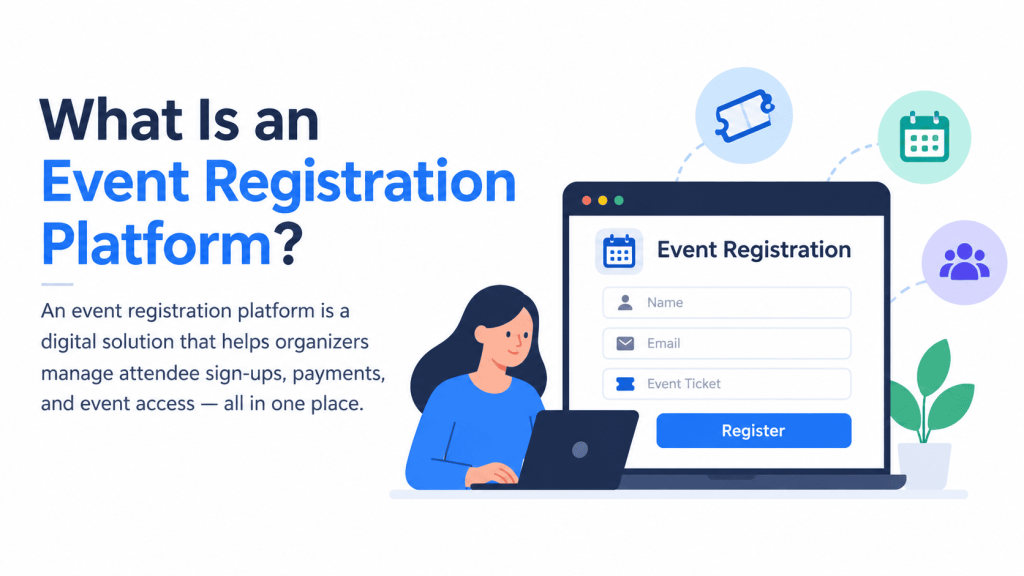
An event registration platform is software that manages the entire sign-up and check-in process for an event, collecting attendee details, issuing tickets or passes, processing payments, and tracking who actually shows up. But modern platforms go far beyond simple sign-up forms. They connect registration data to onsite check-in systems, marketing tools, CRMs, and post-event analytics, eliminating long check-in queues and turning a single form submission into a thread that runs through the whole event lifecycle.
Whether the event is in-person, virtual, or hybrid, the registration platform is usually the first point of contact between an organizer and an attendee, which is exactly why its features matter so much.
Event Registration Platform Features at a Glance
| Feature | Best for |
| Multi-Tier Event Ticketing Platform | Events selling multiple ticket types (early-bird, VIP, group, day passes) with different pricing and capacity needs |
| Custom Event Registration Platform | Events needing tailored forms, branded design, and workflows (approvals, group sign-up, multi-language) |
| Integration with Third-Party Platforms and Tools | Organizations relying on CRM, email marketing, payment, or video conferencing tools that must stay in sync |
| Advanced Analytics and Reporting | Organizers and sponsors who need visibility into registration trends, attendance, and event ROI |
| Automated Email and Communication Workflows | High-volume events where manual attendee outreach isn’t scalable |
| Secure Payment | Paid events needing reliable, fraud-protected transactions across multiple currencies |
| Quota-Based Approvals | Invite-only events, restricted sessions, or events with limited seats per attendee category |
Key Event Registration Platform Features to Look For
1. Multi-Tier Event Ticketing Platform
Most events don’t sell just one type of ticket. There are early-bird passes, VIP access, group discounts, day passes, and add-on options like workshops or networking sessions. A multi-tier event ticketing platform lets organizers configure multiple ticket categories, each with its own pricing, availability window, and access rules, without needing a developer to set it up.
This flexibility also supports dynamic pricing (raising prices as an event date approaches) and capacity controls per tier, so a workshop that can only hold 50 people doesn’t get oversold while general admission stays open.
2. Custom Event Registration Platform
No two events collect the same information. A trade show might need exhibitor details and booth preferences; a conference might need dietary restrictions and session selections; a corporate town hall might need employee IDs. A custom event registration platform allows organizers to build forms with conditional logic, custom fields, and a branded design, matching the exact data they need and their brand’s look, rather than forcing every event into a generic template.
Customization also extends to registration workflows: approval-based registration for restricted events, group registration for teams, and multi-language forms for international audiences.
3. Integrate with Third-Party Platforms and Tools
A registration platform rarely operates in isolation. It needs to talk to email marketing tools, CRMs, payment gateways, and internal databases. The ability to integrate with third-party platforms and tools, through APIs, webhooks, or pre-built connectors, means registration data flows automatically into the systems that organizers already use, rather than being manually exported and re-uploaded.
This is particularly important for larger organizations that rely on tools like Salesforce, HubSpot, Zoom, or Slack, where duplicate data entry isn’t just inefficient; it’s a source of errors that can affect follow-up marketing and lead scoring.
4. Advanced Analytics and Reporting
Registration data is only useful if organizers can act on it. Dashboards that track registration trends, ticket sales by tier, attendee demographics, session popularity, and no-show rates help organizers make decisions during the event and refine strategy for the next one. Post-event reports also matter for sponsors, who typically want proof of attendance and engagement to justify their investment.
5. Automated Email and Communication Workflows
Manually emailing every registrant is not sustainable at scale. Automated confirmation emails, reminder sequences, and update notifications, sent via email, SMS, or increasingly WhatsApp, keep attendees informed without extra staff hours. This kind of automation also reduces no-show rates, since timely reminders are one of the simplest ways to keep an event top of mind.
6. Secure Payment
For paid events, a reliable and secure payment gateway is non-negotiable, supporting multiple currencies, refund workflows, and fraud protection. Many platforms now extend this to onsite cashless payment systems, letting attendees pay for food, merchandise, or add-ons using a badge or wristband instead of cash, which speeds up transactions and gives organizers a single reconciled view of onsite spending.
7. Quota-Based Approvals
For events with limited seats per category, invite-only sessions, or restricted access areas, a registration platform should let organizers set quotas for each attendee type, such as VIPs, speakers, exhibitors, media, or students, and automatically track how many slots remain. When a category fills up, the system can close registration, add applicants to a waitlist, or route them for extra review instead of accepting them by default.
Read more: Best Event Registration Tools & Features For Managing Events
Why Dreamcast Is an Ideal Event Registration Solution
Dreamcast brings all of these features together under one event-tech suite, rather than requiring organizers to stitch together separate tools. Its registration and ticketing solution supports multi-tier ticketing, fully customizable registration forms, and built-in integrations with CRM, WhatsApp automation, and other third-party tools, covering the core needs listed above out of the box.
On the onsite side, Dreamcast offers check-in and badging, turnstile access control, a cashless payment system, and facial recognition, giving organizers real-time visibility into attendee flow at large or high-security events. Its broader suite includes dedicated tools for virtual and hybrid formats, meaning the same platform can support an event regardless of format.
Dreamcast’s track record backs this up: the company has over 15 years of experience in event technology, has worked with more than 1,000 brands globally, and holds strong independent ratings, including a 4.8/5 score on G2 and a 4.6/5 score on Capterra. It has also been recognized with industry awards such as the Exhibition Excellence Award for Best Registration Services and multiple Event Technology Awards. Organizations like SHRM, Informa, and WRI India have used Dreamcast for large-scale registration and responsive support as key benefits.
For organizers who want a single, proven partner rather than a patchwork of registration tools, that combination of feature depth and operational track record is what makes Dreamcast a strong choice.
Conclusion
The right event registration platform does far more than collect names and emails; it shapes the attendee’s entire experience and gives organizers the operational and data visibility they need to run a successful event. Multi-tier ticketing, customizable forms, third-party integrations, and quota-based approvals form the core of a capable platform, while analytics, automated communication, and secure payments round out the experience. Weighing the features of an event registration platform carefully before committing to one pays off across every future event. Dreamcast combines these capabilities into one suite, backed by over 15 years of event-tech experience, making it a solid option for organizers evaluating their next registration solution.
FAQs
It manages the full attendee sign-up process, from ticket sales and form collection to check-in and post-event reporting, replacing manual, paper-based registration.
It lets organizers offer different pricing and access levels (VIP, early-bird, group passes) within a single event, without manual workarounds.
Most modern platforms, including Dreamcast, support in-person, virtual, and hybrid formats within the same system.
For most organizations, yes, integrations prevent duplicate data entry and keep registration data synced with CRM, email, and payment systems already in use.
They let organizers cap registrations by attendee category, such as VIPs, speakers, or students, so limited-capacity or invite-only events don’t get oversubscribed, with waitlisting or extra review for applicants once a category fills up.