


TL;DR
Choosing the right conference event registration software can make it easier to manage registrations, payments, attendee details, check-ins, badges, and event data. Look for a platform that is easy to use, scalable, secure, and offers features that match your conference needs.
Introduction
Planning a conference means managing registrations, payments, attendees, sessions, check-ins, and communication. Doing all this manually can be hard, especially for large conferences.
Conference event registration software brings these tasks together in one platform, making conference management simpler. In this guide, we’ll cover the key features to look for and how to choose the right conference event registration system for your event.
What Is Conference Event Registration Software?

Conference event registration software helps organizers manage registrations, tickets, payments, attendee details, check-ins, badges, and reports in one place. It can also support session selection, automated emails, QR codes, and onsite registration. For small or large conferences, it saves time and makes managing attendees easier.
Why Do Conferences Need Registration Software?
Conferences often involve many attendees, ticket types, speakers, exhibitors, sponsors, and sessions. Managing these details manually can be challenging. Event registration software for conferences helps organizers manage registrations, payments, attendee data, check-ins, and other tasks in one place.
A conference registration platform can help organizers:
- Create registration forms and manage tickets
- Collect attendee details and payments
- Send confirmations and event updates
- Generate QR codes and print badges
- Manage sessions and agendas
- Track registrations and attendance
- View event data and reports
For an event registration software for a large conference, scalability is important. The system should handle high volumes of registrations, payments, and check-ins smoothly.
What Features Should Conference Registration Software Have?
| Feature | What It Does | Why It Matters |
| Online Registration & Ticketing | Customizable, mobile-friendly forms; supports ticket types like early-bird, VIP, student, speaker, exhibitor, and group | Makes it easy for attendees to sign up and lets organizers offer different pricing and access levels |
| Attendee Management | Central place for profiles, registration status, ticket type, payments, sessions, and check-in activity | Reduces reliance on spreadsheets and makes attendee data easier to update |
| Payment Processing | Supports common payment methods, invoices, refunds, discounts, and pricing changes | A smooth, secure payment flow helps reduce registration drop-offs |
| QR Code Check-In | Attendees get a unique QR code that staff scan at the venue | Cuts queues and speeds up entry, especially for large conferences |
| Badge Printing | Prints badges on-site with name, company, designation, and QR code | Helps with identification, networking, and access control, and removes the need to prepare badges in advance |
| Session & Agenda Management | Manages schedules, speakers, session capacity, attendee selections, and session check-ins | Keeps attendees updated and helps organizers track session participation |
| Automated Communication | Sends confirmations, receipts, reminders, updates, and post-event follow-ups | Saves organizers time and keeps attendees informed throughout the event |
| Analytics & Reporting | Reports on registrations, ticket sales, payments, attendance, check-ins, and session participation | Supports informed decisions before, during, and after the conference |
| Integrations | Connects with CRM, payment gateways, marketing tools, event apps, and email platforms | Reduces manual data entry and connects your existing tools |
Not all registration platforms offer the same features. Before choosing one, organizers should look for these key capabilities.
Online Registration & Ticketing
Online registration should be simple and work well on both desktop and mobile. Look for software that offers customizable forms and supports different ticket types, such as early-bird, standard, VIP, student, speaker, exhibitor, and group registrations. It should also allow organizers to update registration details when needed easily.
Attendee Management
Registration software should provide one place to manage attendee details, including profiles, registration status, ticket type, payments, sessions, and check-in activity. This reduces the need for spreadsheets and makes attendee information easier to manage and update.
Payment Processing
Payment processing should be simple and secure. Choose software that supports common payment methods and makes it easy to manage transactions, invoices, refunds, discounts, and ticket prices. A smooth payment process can also help reduce registration drop-offs.
QR Code Check-In
QR code check-in helps reduce queues and speed up entry. Attendees receive a unique QR code after registration, which staff can scan at the venue to verify registration and record attendance. This is especially useful for large conferences with many attendees.
Badge Printing
Conference badges help with attendee identification, networking, and access control. Registration software can connect to on-site badge printers to print badges after check-in, including the attendee’s name, company, designation, and a QR code. On-demand printing also reduces the need to prepare badges in advance.
Session & Agenda Management
For conferences with multiple sessions, registration software can help manage schedules, speakers, session capacity, attendee selections, and session check-ins. It also keeps attendees updated with the latest agenda and helps organizers track session participation.
Personalization is becoming an expectation, not a bonus. According to Freeman’s research, 92% of working professionals want personalized content or experiences at events. Registration software that captures attendee interests and session choices up front makes it easier to recommend relevant sessions and build agendas that fit each attendee.
Automated Communication
A conference registration platform can send automated messages such as registration confirmations, payment receipts, reminders, event updates, and post-event follow-ups. This saves organizers time and keeps attendees informed throughout the event.
Analytics & Reporting
Analytics help organizers track event performance. Look for reports covering registrations, ticket sales, payment status, attendance, check-ins, session participation, and attendee categories. This data can help organizers make informed decisions before, during, and after the conference.
This matters more as planning becomes more data-driven. In the Convene 32nd Meetings Market Survey, 75% of event professionals said AI would be a crucial tool for planners in the coming year. Registration software with strong reporting gives you the clean attendee data that AI-assisted planning, such as audience segmentation and attendance forecasting, depends on.
Integrations
A registration platform should work with tools you already use, such as CRM systems, payment gateways, marketing tools, event apps, and email platforms. Integrations connect these systems, reduce manual data entry, and make event management easier.
How to Evaluate Conference Registration Software
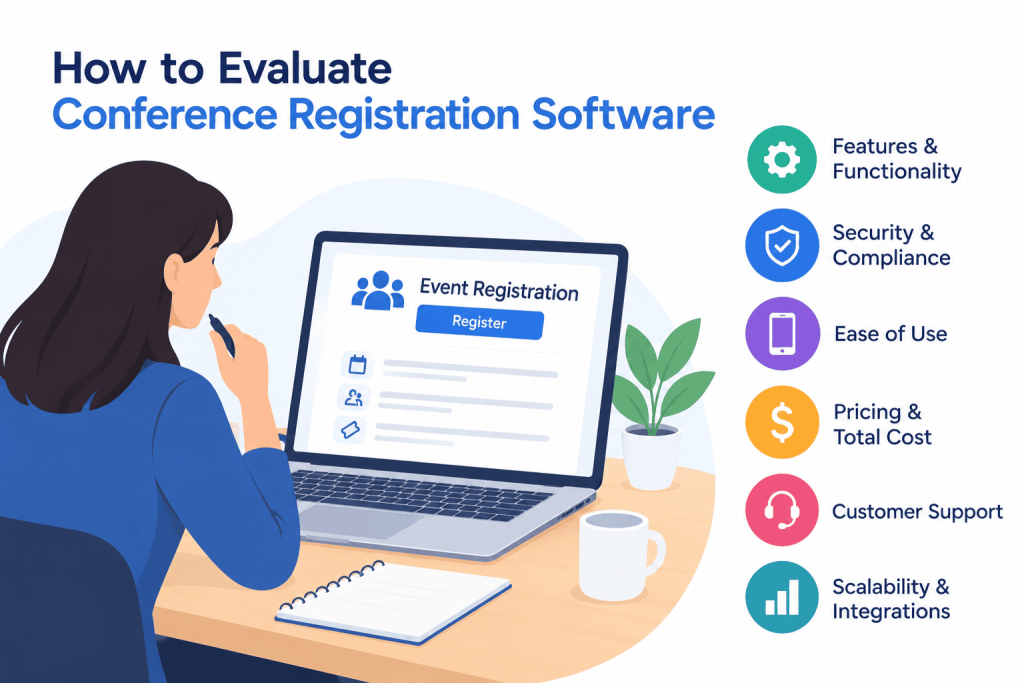
Choosing the right conference event registration system means looking beyond its features. Organizers should choose a platform that fits their event size, needs, and goals.
1. Understand Your Event Requirements
Start by identifying your conference needs, including attendee numbers, ticket types, payment methods, sessions, venues, and check-in points. Smaller conferences may need basic registration, while large events may require attendee management, badge printing, session tracking, and integrations.
2. Check Scalability
The platform should be able to support your current event size and future growth.
If you expect thousands of registrations, choose an event registration software for a large conference that can handle high registration and check-in volumes without making the process complicated.
3. Consider the Attendee Experience
Registration should be simple from the attendee’s perspective.
Check how many steps are required to complete registration, whether the forms work well on mobile devices, and how easily attendees can access their tickets or QR codes.
A complicated registration process can create unnecessary friction.
4. Review Onsite Capabilities
Registration does not end when an attendee completes an online form. The software should also support the onsite experience.
Look for features such as QR check-in, onsite registration, badge printing, access control, and real-time attendance tracking.
5. Check Reporting and Data
Make sure the platform provides the reports your team needs. Ask whether you can export attendee data and whether reports can be customized.
Also consider how attendee information is stored and protected, particularly when collecting payment and personal information.
6. Compare Support and Setup
Even a feature-rich platform can become difficult to use without proper support.
Before choosing a provider, understand what onboarding, technical support, training, and onsite assistance are available. This is especially important for large conferences where registration and check-in need to work smoothly.
Why Dreamcast Is an Ideal Option
Dreamcast offers an event technology platform that can support conference registration and other parts of the attendee journey.
Its registration solution can help organizers manage online and onsite registration, ticketing, attendee management, and check-in from a centralized platform. This can be useful for conferences that need to manage different attendee groups and registration requirements.
Dreamcast also supports features such as QR-based check-in and onsite badge printing, helping organizers move attendees through the entrance more efficiently. Badges can be generated based on attendee information collected during registration, reducing manual data entry at the venue.
For conferences with multiple sessions and activities, the platform can support attendee management and event engagement throughout the event. Organizers can also use event data and reporting to understand registrations, attendance, and attendee activity.
Another advantage is the ability to connect registration with other event technology services. This can help create a more connected experience instead of managing registration, communication, check-in, and attendee engagement through completely separate systems.
For organizers planning conferences of different sizes, scalability is also an important consideration. The right setup can help manage the registration process before the event and support onsite operations when attendees arrive.
Overall, when evaluating conference event registration software, organizers should look beyond basic online forms. A useful platform should support the complete registration journey—from registration and payment to check-in, badge printing, attendee management, and reporting.

Conclusion
Choosing the right conference event registration software can make conference planning easier for both organizers and attendees. The right platform should simplify registration, manage attendee information, process payments, support QR check-in, handle badge printing, and provide useful event data.
Before making a decision, consider your event size, registration requirements, attendee experience, integrations, scalability, security, and support.
For conferences that need a more connected approach, a platform such as Dreamcast can bring registration, check-in, badge printing, attendee management, and other event technology capabilities together in one ecosystem.
FAQs
Conference event registration software is a digital platform used to manage attendee registration, ticketing, payments, attendee data, check-in, and other registration-related tasks for conferences.
Important features include online registration, ticketing, payment processing, attendee management, QR code check-in, badge printing, session management, automated communication, analytics, and integrations.
Yes. Many platforms are designed to support large conferences with high registration and check-in volumes. When choosing event registration software for a large conference, organizers should check scalability, onsite capabilities, and technical support.
After registering, an attendee receives a QR code. At the venue, the code can be scanned to verify their registration and record their attendance, helping reduce manual check-in and queues.
Yes. Some conference registration platforms can connect registration data with onsite badge printing. This allows badges to be printed when attendees check in.
Analytics can show registration numbers, ticket sales, attendance, check-in activity, and other event data. This helps organizers monitor performance and plan future events.